December 12th, 2025
Fake Door Testing
A Practical Guide to Validating Ideas Before You Build
Warren Day
Every product team faces the same critical question: should we build this feature, or will it become another unused addition gathering digital dust? Fake door testing offers a powerful solution to this dilemma. Instead of investing months of development time on unproven ideas, you can gauge user interest and validate demand using a simple but effective technique that takes just days to implement.
In this comprehensive guide, you’ll learn how to run fake door tests that provide reliable insights into market demand, help you make data-driven product decisions, and save your team from building features nobody wants. Whether you’re validating a new product concept, testing pricing strategies, or building early adopter cohorts, fake door testing can become your go-to method for reducing risk in your product development process.
What is fake door testing?
Fake door testing, also known as painted door testing, is a lean validation technique where you present users with a realistic call to action, button, or UI element for a product or feature that doesn’t actually exist yet. When users interact with this fake door, they’re taken to a page explaining that the feature is in development, often with an option to join a waitlist or provide feedback. This approach lets you measure genuine user interest through actual behavior rather than hypothetical survey responses.
Dropbox famously used this technique in 2008 with a simple signup page for their file-syncing service before the product was fully built. Buffer tested early pricing pages to understand what customers would pay before finalizing their business model. These companies measured clicks and signups as direct indicators of market demand, helping them make confident decisions about what to build.
This is fundamentally a “pretotyping” method that emerged in the SaaS and e-commerce world around 2010, designed to answer “Is this worth building?” using real behavioral data. Unlike surveys that ask people what they might do, fake door tests capture what people actually do when faced with a real choice.
The beauty of fake door testing lies in its versatility. You can deploy fake doors across multiple channels: landing pages for new product concepts, in-app buttons for feature testing, notification bars for pricing experiments, email campaigns for market research, and even paid ads to test demand in new customer segments.
The main purpose is simple: validate ideas before you invest significant resources in building them. When users click on your fake door, they’re essentially voting with their attention and intent, giving you the most honest signal possible about whether your idea resonates with your target audience.
How does a fake door test work (and why it’s effective)
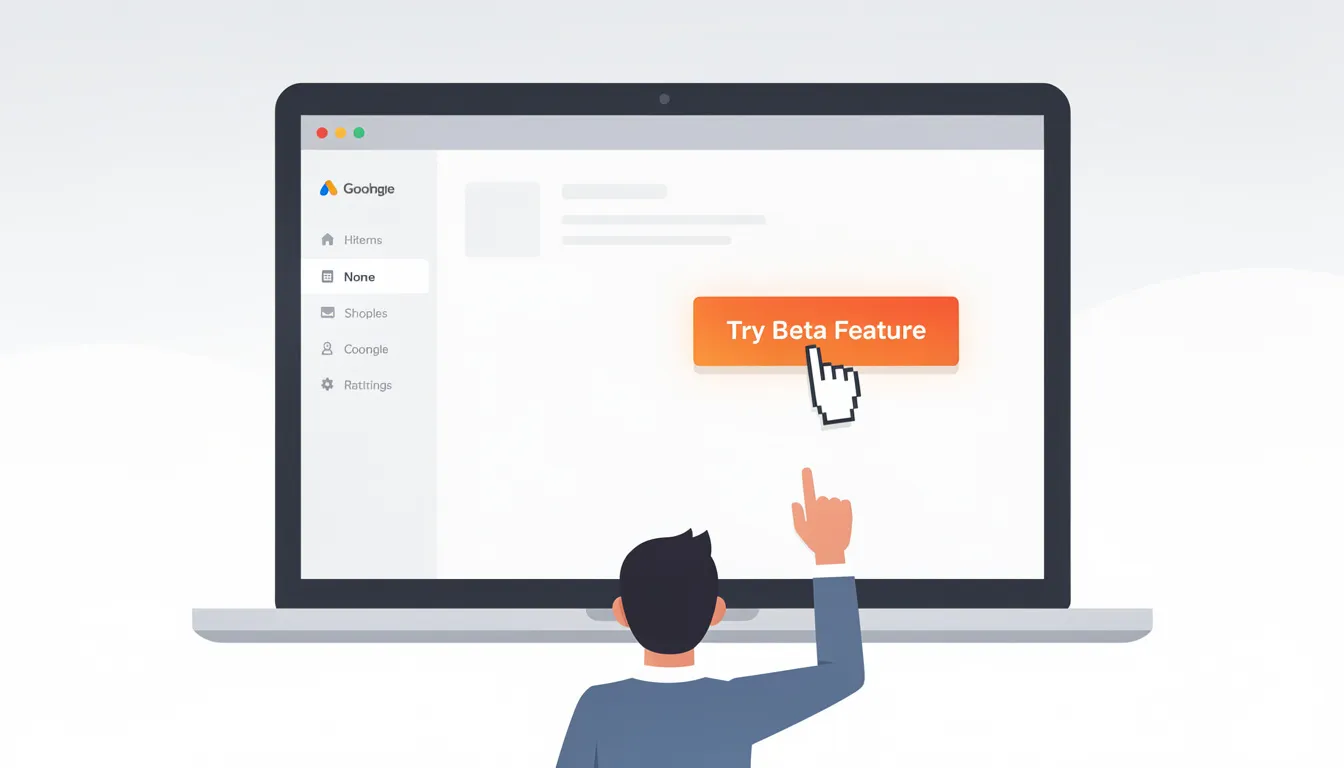
Imagine a user logging into their 2025 analytics platform and noticing a new “Try AI Report Builder” button in the dashboard. Curious about this promising feature, they click the button, only to land on a page saying “We’re exploring this feature and it’s not available yet. Join our waitlist to be first in line when we launch!” The user enters their email, and your team now has concrete evidence that AI reporting tools generate genuine interest among existing users.
This scenario illustrates the core mechanism of fake door testing:
-
Design the door: Create a realistic-looking element (button, link, ad) that matches your product’s visual style and appears where users would naturally expect to find it
-
Expose to audience: Show the fake door to a defined segment of your user base or target market
-
Log interactions: Track who sees the door, who clicks it, and what actions they take afterward
-
Reveal follow-up: Present transparent messaging about the feature’s development status with optional next steps
-
Analyze metrics: Calculate key performance indicators like click-through rate and email capture rate
The effectiveness comes from capturing unbiased behavioral intent. People interact with your fake door as if the feature were real, so their actions reflect genuine interest rather than the social desirability bias that often skews survey responses. When someone says they’d “definitely use” a feature in a survey, they might be trying to be helpful or avoid seeming uninterested. But when they actually click a button thinking it will take them to that feature, you’re measuring real intent.
Modern teams typically track several key metrics:
-
Click-through rate (clicks divided by total impressions)
-
Door-to-waitlist conversion (email signups divided by clicks)
-
Cost-per-lead for ad-driven tests
-
Drop-off rates between different stages of the funnel
Most fake door tests run for 5-10 days, providing enough time to reach statistical confidence without overexposing users to potentially frustrating experiences. This timeframe allows you to gather meaningful data while maintaining user trust and avoiding test fatigue among your audience.
When should you use fake door testing?
Fake door testing works best early in the product lifecycle and at key decision points where you’re considering significant investments in new directions. Rather than testing every small UI change, focus on ideas that represent meaningful resource commitments or strategic bets for your company.
Consider using fake door tests in these scenarios:
-
Major new product bets: A B2B fintech startup in 2025 testing whether to build an invoicing module before their Series A funding round
-
Expensive feature additions: Testing demand for AI-powered features that would require specialized engineering talent and infrastructure
-
Market expansion ideas: Validating interest in serving a new customer segment before adapting your product for their needs
-
Pricing strategy changes: Exploring whether existing customers would upgrade to premium tiers with specific feature sets
Fake door testing makes the most sense when you have sufficient traffic to generate meaningful results. You’ll need at least modest volume—typically a site with 10,000+ monthly visitors or an app with several hundred weekly active users—to reach statistical significance within reasonable timeframes.
The technique fits naturally into a broader product research sequence: start with initial discovery interviews to understand user problems, follow up with surveys to quantify pain points, use fake door tests to validate specific solutions, then move to prototypes and usability testing before committing to full development.
Remember that fake doors work best for testing concepts that are expensive or risky to build, not trivial adjustments that could be implemented and tested quickly with real functionality.
Using fake door testing to validate product and feature ideas
Testing entirely new product concepts requires the highest-stakes fake door implementations, where the results can determine whether you pursue a new business line or kill an idea before investing serious resources.
Dropbox’s 2008 explainer video and signup page perfectly demonstrated this approach. Instead of building complex file-syncing infrastructure first, they created a simple video showing how the product would work and captured email addresses from interested users. The overwhelming response validated their concept before they committed to the technical challenges of building cross-platform synchronization.
Zappos used a similar approach in the mid-2000s by listing shoes on their website marked as “out of stock” before they had inventory relationships with manufacturers. When customers tried to buy these shoes, Zappos would manually source them from physical stores, proving demand existed for online shoe sales before building a traditional e-commerce supply chain.
For a modern example, consider a 2025 AI writing tool testing “Team Collaboration Spaces” functionality. The team could add a prominent “Create Team Workspace” button in their app’s main navigation, leading interested users to a page explaining: “We’re exploring team features to help writing teams collaborate more effectively. This feature isn’t ready yet, but join our early access list to help shape what we build.” By tracking how many solo users click this button and provide their email, the team can gauge whether expanding into team-based functionality merits the significant development investment.
Validating new features within existing products often proves easier because you already have engaged users who understand your product’s context. For instance, adding a “Custom Dashboards (beta)” navigation item in a CRM system and tracking click rates over two weeks can quickly reveal whether your power users want more personalization options.
The key is making the fake door feel natural and expected within your product’s existing information architecture, so users encounter it organically rather than feeling like they’re participating in an artificial experiment.
Finding your pricing and packaging sweet spot with fake doors
Pricing validation through fake door tests can save teams from guessing at optimal price points and package configurations. Buffer’s early pricing experiments in the 2010s exemplify this approach—they tested different “Plans & Pricing” pages to understand what customers were willing to pay before their product was fully featured.
Setting up pricing fake doors involves creating realistic pricing matrices with different tiers (such as $19, $49, and $99 monthly plans) and tracking which options users select most frequently. The click distribution across these pricing options provides direct insight into price sensitivity within your target market.
Consider running separate landing pages for different price points, each with unique URLs that you can promote through targeted ad campaigns. This approach lets you measure cost-per-lead at various price levels and calculate the potential revenue impact of different pricing strategies.
-
Test pricing for entirely new products by creating realistic pricing pages and measuring conversion from ad traffic
-
Validate upgrade pricing for existing customers by showing new tier options and tracking selection rates
-
Experiment with different included features at each price point to optimize your packaging strategy
-
Use geographic targeting to test different currency denominations and regional pricing strategies
However, pricing fake doors require extra transparency to avoid feeling deceptive. When users click “Select Plan” or “Start Trial,” immediately clarify that you’re validating pricing for a future launch rather than accepting actual payments. Consider language like “Help us finalize pricing for this upcoming feature” followed by a brief survey about their willingness to pay.
The goal is understanding demand curves and optimal price points before you commit to a pricing strategy that’s difficult to change once you have paying customers.
Building beta waitlists and early adopter cohorts
Fake door tests excel at identifying and organizing your most motivated potential users into manageable cohorts for deeper research and eventual beta testing. Rather than broadcasting general “coming soon” messaging, you can use fake doors to segment users based on their demonstrated interest in specific features or products.
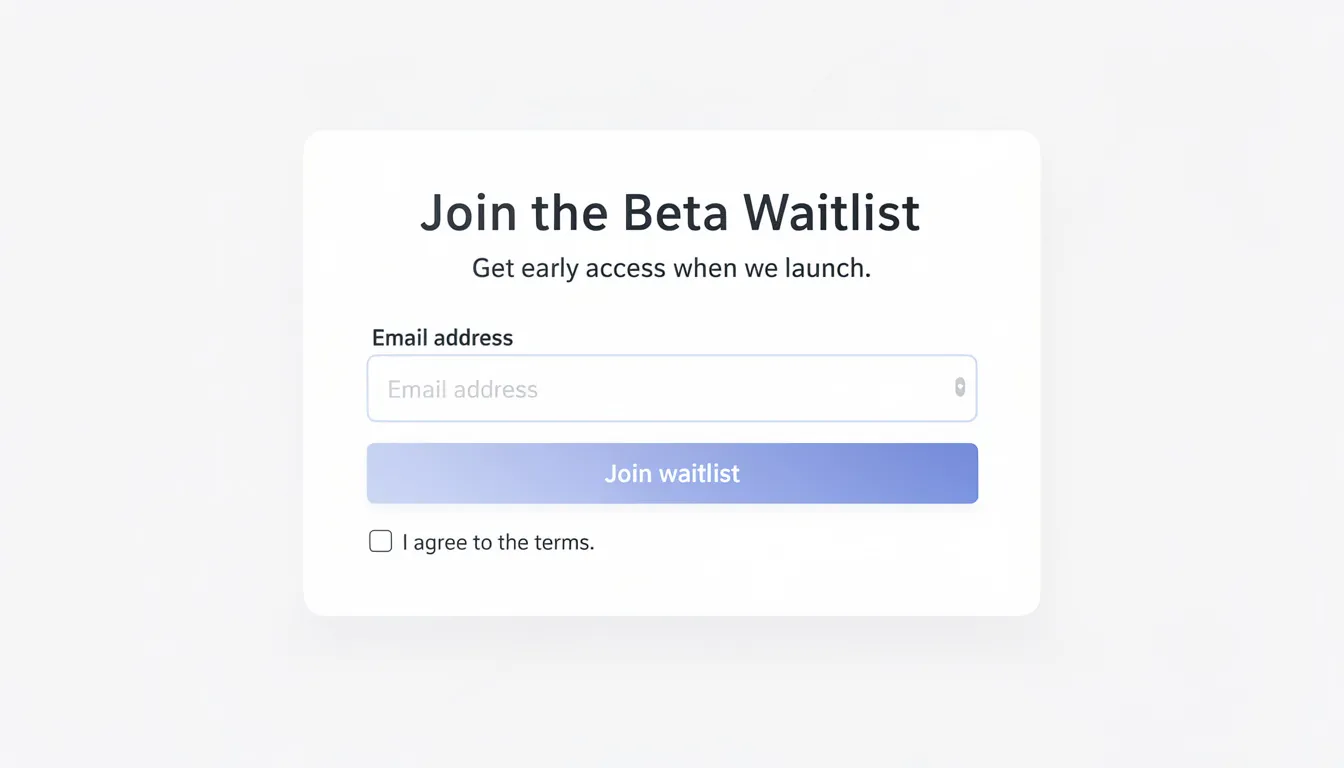
For example, a collaboration tool team testing “AI Meeting Summaries” could add a prominent “Try AI Summaries (Beta)” button in their post-meeting interface. Users who click through would see a page explaining: “We’re developing AI-powered meeting summaries to save you time on follow-up tasks. This feature is targeting beta launch in Q3 2025. Join our early access list to be among the first testers.”
This approach accomplishes several goals simultaneously:
-
Validates that meeting summaries represent a real user need worth developing
-
Builds a qualified list of beta testers who’ve demonstrated genuine interest
-
Provides a direct channel for gathering requirements and feedback during development
-
Creates anticipation and engagement around your product roadmap
When building beta waitlists through fake doors, ask for minimal information to reduce friction—typically just email address, company size, and primary use case. Be specific about timelines (“Targeting beta in Q3 2025”) rather than vague promises, and follow up regularly with development updates to maintain engagement.
Your beta waitlist becomes a valuable asset for the entire product development process, giving you a ready pool for user interviews, prototype testing, and eventual feature validation once you’re ready to build.
Benefits of fake door testing
Fake door testing delivers four primary benefits that make it indispensable for modern product teams: dramatic cost savings compared to full development cycles, rapid feedback loops that accelerate decision-making, better roadmap prioritization based on behavioral data, and stronger stakeholder confidence when presenting new initiatives.
Well-executed fake door tests can be conceived, designed, and launched within a single week using modern no-code tools, while building and testing the actual feature might take months of engineering effort. This speed advantage becomes crucial when you’re evaluating multiple competing ideas or responding to emerging market opportunities.
The behavioral data from fake door tests often carries significantly more weight in product review meetings than qualitative feedback or survey responses. When you can tell executives that “6.3% of active users clicked our ‘Advanced Analytics’ CTA within 10 days,” you’re providing concrete evidence of demand rather than relying on anecdotal user quotes or hypothetical interest.
Fake doors can also reveal unexpected insights about user segments and positioning opportunities. You might discover that smaller customers show high interest in “Enterprise SSO” features, suggesting an opportunity to democratize traditionally high-end functionality, or find that your assumed target audience ignores a feature while a different segment engages enthusiastically.
Avoiding unnecessary development cost and risk
The most compelling argument for fake door testing is its ability to prevent expensive mistakes before they consume significant engineering resources. Consider the typical cost of building a substantial new feature: 3-6 months of developer time, product management overhead, design work, quality assurance testing, and ongoing maintenance responsibilities.
A mid-sized SaaS company in 2024 used a fake door test to evaluate demand for a complex reporting engine estimated to require $250,000 in engineering costs and four months of development time. When the fake “Advanced Reports” button showed less than 1% click-through rate among their power users over two weeks, they abandoned the project and redirected resources toward features that had demonstrated stronger user interest.
This example illustrates how negative results prove as valuable as positive ones. Discovering that users don’t want a feature before you build it saves both the initial development investment and the opportunity cost of not building something they actually would use.
Fake door tests help teams avoid the sunk cost fallacy that often drives products forward even when early signals suggest low adoption. When you’ve already invested weeks or months in development, it becomes psychologically difficult to abandon a feature even when usage metrics disappoint. Testing demand upfront provides clear go/no-go signals before emotional investment accumulates.
The risk mitigation extends beyond immediate costs to include technical debt, maintenance burden, and the complexity costs of supporting features that few users adopt.
Fast feedback loops and agile decision-making
Modern product development thrives on rapid iteration cycles, and fake door testing fits perfectly within agile frameworks and continuous discovery practices. Teams can evaluate multiple concepts per quarter using short feedback loops that inform sprint planning and roadmap prioritization.
Consider a product team running a 7-day fake door test on a new onboarding add-on during their weekly planning meeting cycle. By the following week, they have clear data on user interest and can immediately decide whether to proceed with development, modify the concept, or redirect their sprint capacity toward higher-priority features.
This speed helps teams avoid the lengthy internal debates that can consume weeks of discussion without resolution. When product managers, designers, and engineers disagree about feature priority or market demand, fake door results provide objective behavioral evidence that moves conversations forward.
Fast feedback loops also enable more experimental approaches to product development. Instead of betting large amounts of time on single big features, teams can test multiple smaller concepts rapidly and pursue the ones that demonstrate real traction with users.
The agility becomes especially valuable in competitive markets where timing matters. Being able to validate and pivot quickly gives you advantages over teams that commit to longer development cycles before testing market response.
Increasing stakeholder confidence and alignment
Executive teams, investors, and sales leaders consistently respond better to hard behavioral data than qualitative research when evaluating new product investments. Fake door test results provide the kind of metrics-driven evidence that builds confidence in product decisions and secures buy-in for resource allocation.
When presenting roadmap proposals or budget requests, being able to show that “6.3% of active users clicked the ‘AI Insights’ CTA within 10 days” carries more weight than user interview quotes or survey responses. Stakeholders understand click-through rates and conversion metrics as leading indicators of market demand.
A 2023 product team successfully used fake door results in a pitch deck to secure additional headcount for their experimentation program. By demonstrating that they could validate ideas quickly and cost-effectively before committing engineering resources, they convinced leadership that expanding the team would improve overall development efficiency rather than just increasing output.
Fake door testing also provides valuable cover for saying “no” to large customer requests when data shows limited broader interest. Sales teams and customer success managers often advocate for specific features based on vocal feedback from key accounts, but fake door tests can reveal whether these requests represent genuine market demand or isolated use cases.
The alignment benefits extend beyond initial decision-making to ongoing development prioritization. When everyone agrees on the validation criteria upfront, fake door results become objective arbiters of what gets built next rather than subjective preference battles.
Risks, disadvantages, and how to avoid them
Despite its many advantages, fake door testing can damage user relationships and brand credibility if handled poorly. The technique inherently involves some level of deception—you’re presenting something that doesn’t exist—which requires careful management to maintain user trust and avoid negative experiences.
The primary risks include perceived dishonesty when users feel tricked, user frustration from wasted time and effort, potential damage to brand reputation among early adopters who expect transparency, biased data from curiosity clicks rather than genuine interest, and legal or compliance concerns in regulated industries where marketing claims require careful substantiation.
Modern best practices emphasize immediate transparency after users interact with fake doors. Rather than leaving people confused or frustrated, contemporary approaches clearly explain the testing purpose and offer meaningful ways for users to contribute to the development process.
Smart teams limit exposure by showing fake doors to only 10-20% of eligible users during testing periods. This approach caps potential negative impact while still generating statistically significant data for decision-making.
The key to successful fake door testing lies in treating participants as collaborators rather than test subjects. When users understand they’re helping shape future product development, they typically respond positively to transparent communication about testing processes.
Managing user expectations and avoiding perceived deception
The critical moment in any fake door test occurs immediately after a user clicks through, when you reveal that the feature doesn’t yet exist. How you handle this moment determines whether users feel frustrated and deceived or engaged and valued as part of your product development process.
Always display clear, honest messaging such as “We’re exploring this feature and it’s not available yet. Your interest helps us understand what to build next.” Avoid vague error messages, generic 404 pages, or misleading language that makes users think something is broken rather than intentionally unavailable.
Consider apologetic and appreciative language that positions users as partners: “Thanks for your interest in AI-powered reporting! We’re still developing this feature and your click helps us prioritize what to build. Want to help shape what we create? Join our feedback group for early input on design and functionality.”
Never fake payment flows or collect billing information for non-existent features. Stick to intent signals like clicks, email opt-ins, and brief preference surveys rather than attempting to simulate actual purchase processes.
Example copy that works well:
-
“This feature is in development—join our beta list to be first in line!”
-
“We’re gauging interest in advanced analytics. Sign up to influence what we build.”
-
“Coming soon! Help us prioritize by sharing your email for updates.”
The tone should be transparent, respectful, and focused on collaboration rather than manipulation. Users should leave the interaction feeling informed and involved rather than confused or misled.
Protecting brand reputation
Newer companies and less-established brands face higher stakes when running fake door tests because they have less trust equity to spend on potentially frustrating user experiences. A single poorly handled fake door can damage relationships with early adopters who are crucial for long-term success.
Frame fake doors using “coming soon” language that emphasizes your team’s commitment to building user-requested features rather than arbitrary product decisions. This approach mirrors successful patterns from Kickstarter campaigns and pre-order marketing where customers expect to wait for product availability.
Test with loyal, engaged segments first before exposing fake doors to new or casual users. Long-term customers and active community members typically respond more positively to transparent experimentation than people who barely know your brand.
Consider these protective strategies:
-
Use conservative, benefit-focused language rather than overpromising specific capabilities
-
Provide clear timelines and development updates to maintain trust during waiting periods
-
Offer alternative solutions or workarounds for the problem your fake feature would address
-
Follow up personally with users who express strong interest to build individual relationships
Brand protection becomes especially important in competitive markets where frustrated users have attractive alternatives. A single negative experience with a fake door test could drive valuable prospects toward competitor solutions.
Data quality issues: curiosity clicks and brand bias
Not every click on a fake door represents genuine purchase intent or feature demand. Some users click simply to explore interface elements, while others might interact with fake doors from beloved brands even when they wouldn’t actually use the proposed features.
Curiosity clicks can inflate apparent demand, especially for features with novel or technical-sounding names that intrigue users without addressing real needs. Similarly, strong brand affinity can skew results when loyal customers click fake doors to support their favorite companies rather than express authentic interest in specific functionality.
To improve data quality, consider these approaches:
-
Set meaningful thresholds such as “proceed only if CTR exceeds 3% among target power users” rather than celebrating any positive response
-
Use control groups to establish baseline click patterns and engagement levels in your interface
-
Follow up with brief surveys asking “What did you expect this feature to do?” to distinguish informed interest from random exploration
-
Run off-brand tests using generic design and neutral domains for high-stakes concepts where you need to isolate demand from brand effects
Combine quantitative fake door results with qualitative follow-up interviews to understand the “why” behind user interactions. When someone joins your beta waitlist, spend 10 minutes understanding their current workflow and specific pain points to validate that clicks represent genuine need rather than casual interest.
The goal is gathering reliable insights about user behavior and market demand, not maximizing click-through rates or email signups that don’t translate into actual product usage.
How to design and run a fake door test (step-by-step)
Running an effective fake door test requires systematic planning and execution across 8-10 key steps that most product teams in 2025 can complete within 1-2 weeks. The process spans from initial hypothesis formation through final decision-making, using common tools like Figma for design mockups, Webflow or Unbounce for landing page creation, and analytics platforms like GA4, Amplitude, or Mixpanel for data collection.
The main steps include: defining your mission and hypothesis → selecting your target audience → designing the fake door element → creating the post-click experience → implementing tracking and instrumentation → launching the test → running for a predetermined timeframe → analyzing results and making decisions.
Modern teams benefit from realistic tool combinations such as Figma + Webflow + GA4 + Intercom for in-app tests, or Canva + Unbounce + Meta Ads + Mailchimp for landing-page-based validation campaigns. The key is choosing tools that integrate well with your existing product stack and provide the measurement capabilities you need for confident decision-making.
Success depends on treating fake door testing as a disciplined research process rather than a quick experiment. Teams that define success criteria upfront, plan their analysis approach, and commit to acting on results typically get much better outcomes than those who run tests without clear hypotheses or decision frameworks.
Define your mission, hypothesis, and success metrics
Start every fake door test with explicit hypotheses that you can prove or disprove using behavioral data. Avoid vague goals like “see if people are interested” in favor of specific, measurable predictions about user behavior and market demand.
Example hypothesis: “If we add an ‘Automated Invoicing’ CTA in our billing app dashboard, at least 5% of active finance admin users will click it within 14 days, indicating sufficient demand to justify building invoice automation features.”
This hypothesis works because it specifies:
-
The exact fake door implementation (“Automated Invoicing” CTA in billing dashboard)
-
The target audience (active finance admin users)
-
The success threshold (5% click-through rate)
-
The testing timeframe (14 days)
-
The decision implication (justify building the feature)
Choose one primary KPI such as click-through rate or email signup rate, plus 1-2 secondary metrics like bounce rate after click or survey completion rate for users who engage with your follow-up content.
Set realistic test duration and sample size requirements upfront. Most fake door tests need 7-14 days to reach statistical significance, depending on your traffic levels. Plan for minimum sample sizes of 500-1,000 exposed users to generate reliable insights, adjusting timeline based on your typical traffic patterns.
Define success thresholds based on industry benchmarks, historical performance of similar features, or business impact requirements rather than arbitrary round numbers. A 2% CTR might be excellent for one type of feature but disappointing for another.
Target the right audience
Effective audience targeting ensures you measure interest from users who would realistically use and pay for the feature you’re considering building. Testing demand among irrelevant audiences wastes time and produces misleading results that could drive poor product decisions.
Segment based on user characteristics that relate to feature relevance:
-
Show “SSO & SCIM” fake doors only to workspace owners on Business or Enterprise plans who would actually implement enterprise security features
-
Target EU e-commerce merchants with >$50,000 monthly GMV for VAT automation tools rather than showing it to all international users
-
Present “Advanced Analytics” options to power users who already use basic reporting features heavily
Use control groups where possible to compare baseline engagement patterns. If 3% of users typically click on navigation elements, a 7% CTR on your fake door represents meaningful interest, while 3.2% might just reflect normal interface exploration.
Avoid over-testing the same user groups with multiple fake doors simultaneously. Users who encounter several “coming soon” features within short timeframes may become frustrated or skeptical, skewing their responses to future tests.
Consider running parallel tests for different audience segments to understand how demand varies across user types. Enterprise customers might respond differently to pricing fake doors than small business users, providing valuable insights for positioning and development prioritization.
Design the fake door element
Your fake door should integrate seamlessly with your existing product interface, appearing exactly where users would expect to find the real feature once it’s built. Consistency in visual style, copy tone, and placement location ensures that user interactions reflect authentic responses rather than confusion or novelty-seeking behavior.
Common fake door formats include:
-
Navigation menu items for major new product areas
-
Feature cards within existing dashboards or settings pages
-
Call-to-action buttons on relevant workflow screens
-
Toggle switches for enabling/disabling new functionality
-
Landing page hero CTAs for entirely new products
-
Ad units on social platforms for market validation
Use clear, benefit-driven labels that help users understand what they’re clicking toward. “Export to QuickBooks” works better than “New Integration” because it sets specific expectations about functionality. Users who click the specific label have demonstrated informed interest rather than casual curiosity.
Apply standard accessibility practices including sufficient color contrast, descriptive alt text, and keyboard navigation support. Poor design implementation can distort test results by excluding users with disabilities or technical limitations.
Make sure the fake door looks and feels exactly like other interactive elements in your product. If your real buttons have rounded corners and drop shadows, your fake door should match those design patterns precisely to avoid drawing attention to its experimental nature.
Create what’s behind the door
The post-click experience determines whether users feel frustrated and deceived or informed and engaged. Design this screen to provide value while clearly explaining that the feature doesn’t exist yet and offering meaningful ways for interested users to stay involved.
Effective follow-up pages typically include:
-
A clear heading describing the proposed feature (“AI-Powered Meeting Summaries”)
-
2-3 bullet points explaining key benefits or functionality
-
Honest timeline information (“Exploring for late 2025 roadmap”)
-
One simple action like joining a waitlist or answering brief survey questions
-
Easy navigation back to the user’s previous task
Example layout: “AI Meeting Summaries - Automatically generate action items and key decisions from your video calls. • Save 15+ minutes of post-meeting work • Never miss important follow-up tasks • Share summaries with team members instantly. We’re exploring this feature for our 2025 roadmap. Join our beta list to help shape what we build: [email input field] [Join Beta List button] [No thanks, take me back link]”
Keep forms minimal to reduce friction while still capturing valuable information. Email address alone often suffices, though you might add one optional question about use case or company size for segmentation purposes.
Always provide clear exit paths—close buttons, back links, or navigation breadcrumbs—so users can easily return to their intended tasks without feeling trapped in your test flow.
Implement tracking and instrumentation
Comprehensive analytics setup ensures you capture all relevant user interactions throughout the fake door experience, from initial exposure through final conversion or abandonment. Plan your event tracking before building the test to avoid missing crucial data points.
Track these key events:
-
Impression of the fake door (how many users saw it)
-
Click on the fake door element
-
View of the follow-up “coming soon” screen
-
Email submission or survey completion
-
Any additional engagement like sharing or bookmarking
Use descriptive event names like “fd_ai_reports_impression” and “fd_ai_reports_click” that clearly identify fake door interactions in your analytics dashboards. This naming convention helps separate test data from regular product usage metrics.
Modern tool recommendations for 2025 include:
-
GA4 for comprehensive event tracking and funnel analysis
-
Amplitude or Mixpanel for user-level behavioral analysis and segmentation
-
Hotjar or UXtweak for heatmaps and session replay context
-
Your existing product analytics stack for integration with user profiles
Set up conversion funnels before launching to track drop-off between each stage: exposure → click → landing page view → email signup. These funnels help identify where users lose interest and inform improvements for future tests.
Test your analytics implementation in staging environments before going live. Click through the entire experience while monitoring event firing to ensure accurate data collection from day one.
Launch, run, and monitor the test
Begin with a soft launch to 5-10% of your target audience for the first 24 hours, allowing you to verify that tracking works correctly and the user experience functions as intended before full exposure.
Monitor early results for technical issues or unexpected user behavior patterns:
-
Unusually high or low click rates might indicate targeting problems or interface bugs
-
Rapid traffic spikes could suggest external promotion or viral sharing
-
High bounce rates from the follow-up page might indicate confusing messaging
Set a planned test duration (typically 7-14 days) and resist the temptation to extend without clear justification. Open-ended tests often lose focus and can frustrate users who repeatedly encounter the same non-functional feature.
Avoid changing the fake door design, copy, or targeting mid-test unless you’re explicitly running an A/B comparison with clearly labeled variants. Modifications during testing make results difficult to interpret and reduce confidence in your conclusions.
Plan daily check-ins to monitor data quality and user feedback without obsessing over minute-to-minute fluctuations. Most fake door tests need several days to generate stable patterns, especially if your traffic comes from different time zones or user segments.
Measure, analyze, and decide
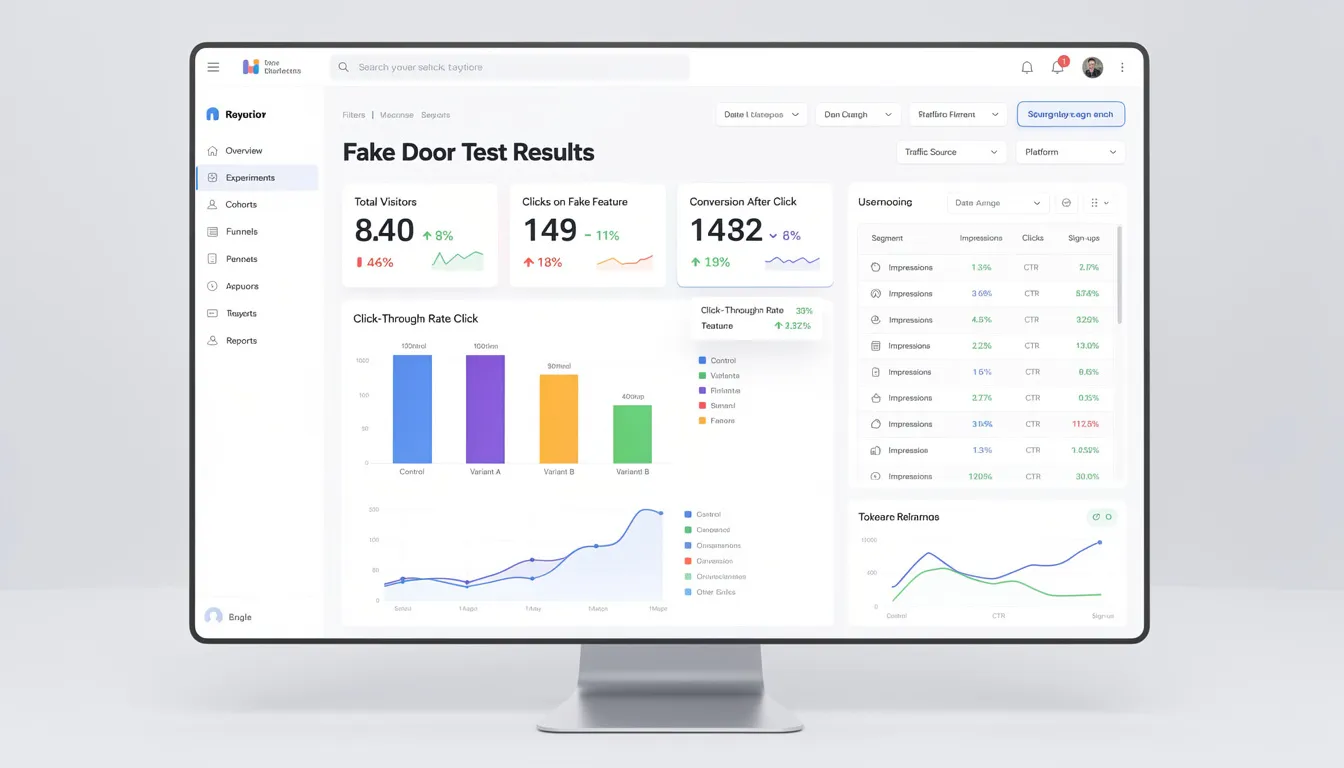
Calculate core metrics systematically using consistent definitions across all your fake door tests:
-
Click-through rate (clicks ÷ impressions)
-
Door-to-waitlist conversion (email signups ÷ clicks)
-
Cost-per-lead for ad-driven tests (ad spend ÷ qualified leads)
-
Segment-specific performance for different user types
Compare results against predefined success thresholds rather than making gut-feel judgments about whether numbers seem “good.” If you set a 4% CTR target for proceeding, honor that commitment regardless of whether 3.8% feels close enough or disappointing.
Supplement quantitative data with qualitative insights from survey responses, customer support feedback, or brief user interviews with people who joined your waitlist. Understanding the “why” behind clicks helps distinguish genuine interest from curiosity and informs feature development priorities.
Make clear go/no-go decisions based on comprehensive analysis:
-
Greenlight full build: Strong quantitative results plus positive qualitative feedback
-
Run deeper research: Moderate interest but unclear user needs or competitive landscape
-
Iterate and retest: Concept has potential but positioning or targeting needs refinement
-
Park this idea: Low engagement suggests limited market demand
Document your decision rationale and key learnings for future reference, especially negative results that prevent your team from repeatedly testing similar unsuccessful concepts.
How many fake doors should you run and how often?
More fake door tests don’t automatically lead to better product decisions—quality, focus, and strategic timing matter more than testing volume. Running too many experiments simultaneously can overwhelm users with non-functional features and dilute your analytical focus across too many variables.
A well-managed product team typically runs 1-3 major fake door experiments per quarter, aligned with roadmap planning cycles and strategic decision points. This cadence provides regular validation opportunities without creating test fatigue among your user base.
Test one significant idea per audience segment at a time to avoid confounding variables in your results. If you’re simultaneously testing “Advanced Analytics” and “Team Collaboration” features with the same power users, you can’t determine whether low engagement reflects lack of interest in specific concepts or general skepticism about new features.
Landing-page-based tests for completely new products can run in parallel since they target different audiences through separate marketing channels. However, in-app fake doors should be carefully spaced to maintain user trust and avoid the perception that your product is constantly broken or incomplete.
Simple guideline: If your active users routinely encounter more than one fake door per month, consider slowing down your testing cadence or tightening your audience targeting to reduce overlap between experiments.
Balance testing velocity with user experience quality. Teams that build systematic fake door testing capabilities—standardized design templates, analytics dashboards, and decision frameworks—can run higher-quality tests more efficiently than those who treat each experiment as a custom project.
Tools and platforms for fake door testing
Modern no-code tools and integrated analytics platforms make fake door testing accessible to product teams without heavy engineering requirements. The key is selecting tools that integrate smoothly with your existing product stack while providing the targeting and measurement capabilities you need for reliable insights.
Landing page builders: Webflow and Unbounce offer sophisticated design capabilities with built-in A/B testing and form handling. These work well for testing entirely new product concepts or market validation campaigns.
In-app experience platforms: Userpilot and Chameleon specialize in creating overlays, tooltips, and notification bars within existing products. These tools excel for testing new features with current users.
A/B testing platforms: Optimizely and VWO provide robust targeting, statistical analysis, and integration options for teams running multiple experiments across different channels.
Analytics suites: GA4, Amplitude, and Mixpanel offer event tracking, funnel analysis, and user segmentation capabilities essential for measuring fake door performance accurately.
Survey and feedback tools: Typeform and Survicate help gather qualitative insights from users who interact with your fake doors.
When selecting tools, prioritize:
-
Ease of audience targeting and segmentation
-
Depth of event tracking and attribution
-
Integration quality with your current product analytics
-
Support for multilingual content if you serve global markets
-
Privacy compliance features for GDPR and CCPA requirements
Example 2025 SaaS tool stack: Webflow for landing pages + Meta Ads for traffic generation + GA4 for analytics + Mailchimp for email follow-up. This combination provides comprehensive fake door testing capabilities with minimal technical complexity.
Fake door test examples to learn from
Real-world examples across different industries demonstrate how flexible and powerful fake door testing can be when applied strategically. These cases show specific implementation approaches, measurable outcomes, and the business decisions that followed validation results.
Dropbox (2008): Instead of building file-syncing technology first, they created a simple explainer video showing how the product would work and captured email signups from interested users. The overwhelming response—over 100,000 signups overnight—validated their concept before tackling complex technical challenges.
Buffer (early 2010s): Tested multiple pricing page configurations to understand what customers would pay before finalizing their freemium business model. Different price points and feature combinations helped them optimize both revenue potential and conversion rates.
Groupon (2008-2009): Started as a blog featuring one daily deal for Chicago businesses, manually coordinating with merchants before building automated systems. High email engagement and social sharing validated the group-buying concept.
Zappos (early 2000s): Listed shoes marked as “out of stock” before establishing supplier relationships, then manually sourced items from physical stores when customers placed orders. This approach proved demand for online shoe purchasing existed.
Modern SaaS example (2023): A project management tool tested an “AI Task Prioritization” button in user dashboards, leading to a “coming soon” page with beta signup. 8.2% CTR among power users and 450 email signups validated AI features as a top development priority.
Each example shares common elements: realistic presentation of unavailable features, transparent follow-up communication, measurement of genuine user behavior, and clear business decisions based on validation results.
Testing pricing and packaging sensitivity
Pricing-focused fake door tests provide direct insights into customer willingness to pay and optimal feature packaging before you commit to specific business models.
Buffer’s pricing experiment: Created multiple landing pages with different monthly pricing tiers ($19, $39, $99) and tracked which options users selected most frequently. The $39 tier attracted 52% of clicks versus 28% for $29 and 20% for $79, informing their eventual pricing strategy.
SaaS add-on testing: A 2024 CRM company tested “Advanced Reporting ($15/month)” and “Premium Reporting ($35/month)” fake doors with identical feature descriptions. The lower price point generated 3x more clicks, but the higher price showed better email-to-demo conversion rates, suggesting different customer segments.
Teams measure both demand volume (total clicks) and revenue potential (average contract value of interested users) to optimize for business impact rather than just user interest. A feature that attracts fewer clicks but from high-value customers might prove more valuable than broadly appealing but low-revenue functionality.
Consider testing different included features at each price point—“Basic Analytics ($20)” versus “Analytics + Automation ($20)”—to understand which capabilities drive purchasing decisions and optimal bundling strategies.
Ethical and legal considerations
As digital privacy awareness increases and regulatory scrutiny intensifies, fake door testing requires careful attention to ethical design and legal compliance. Modern users and regulators are more sensitive to manipulative UX patterns, making transparent, respectful testing practices essential for maintaining user trust and avoiding regulatory issues.
Consent and data usage: All analytics tracking and email collection must comply with your stated privacy policies and applicable laws including GDPR for EU users and CCPA/CPRA for California residents. Ensure that users understand how their interaction data will be used and stored.
Avoiding dark patterns: Never use misleading labels, hide the fact that features don’t exist, or make users feel trapped or manipulated. Regulatory bodies increasingly scrutinize design patterns that exploit psychological biases or create unfair user experiences.
Industry-specific compliance: Healthcare, financial services, and insurance companies face additional restrictions on marketing claims and user testing. Have legal or compliance teams review fake door copy in regulated sectors, especially when referencing specific regulations like HIPAA or PSD2.
Documentation requirements: Maintain clear internal records of testing purposes, user consent mechanisms, and data handling procedures. These documents become crucial if regulatory questions arise about your testing practices.
Key ethical principles:
-
Be transparent immediately after user interaction
-
Offer clear value in exchange for user time and attention
-
Respect user choice in participation and data sharing
-
Avoid targeting vulnerable populations or exploiting emotional triggers
-
Honor promises about timeline and development plans
Frame fake door tests as collaborative product development rather than extractive market research. Users who feel like partners in shaping your product roadmap typically respond positively to transparent experimentation.
Bringing fake door testing into your product practice
Transform fake door testing from an occasional tactic into a systematic product validation capability that improves how your entire team approaches new feature development and market validation.
Mature teams that excel at fake door testing share several common practices: they always define clear hypotheses before testing, use transparent follow-up messaging that builds rather than erodes trust, close the loop with participants by sharing results and development updates, and integrate learnings into roadmap decisions and ongoing discovery work.
The most effective approach combines fake door tests with complementary research methods. Use interviews to understand user problems deeply, run fake door tests to validate specific solutions, follow up with prototype testing to refine user experience, and use analytics to measure actual adoption after launch.
Consider fake door testing as part of a broader experimentation culture where testing assumptions becomes natural and expected rather than exceptional. Teams that normalize validation testing make better product decisions and waste fewer resources on unsuccessful features.
Your next steps: Start with a low-risk in-app fake door test on a non-critical feature that you’re genuinely considering for your roadmap. Run the test for 7-10 days, analyze results against predefined success criteria, and use the experience to refine your internal testing playbook.
Schedule your first fake door test within the next 30 days. Choose something specific, set clear success metrics, and commit to acting on the results regardless of whether they confirm or challenge your assumptions. This initial experience will teach you more about effective validation testing than any amount of theoretical planning.
The goal isn’t perfect tests—it’s building organizational capability to validate ideas quickly and cost-effectively before investing significant development resources. Start simple, learn from each experiment, and gradually develop more sophisticated testing approaches as your team gains confidence and experience.
Start validating ideas in minutes not days
Create high-converting landing pages. Test with real users. Get purchase signals. Know what to build next.
Visit LaunchSignal