January 18th, 2026
Prototyping for Startups: Tools for Fast Validation
Compare four prototyping tools to validate startup ideas quickly — landing pages, UI/UX mockups, live web demos, and mobile app prototypes.
Warren Day
Prototyping is essential for startups to test ideas quickly and avoid costly mistakes. It helps you identify user needs, refine designs, and validate concepts before committing to full-scale development. Here are four tools tailored to different stages of the validation process:
- LaunchSignal: Create landing pages to test market interest without coding. Includes fake checkouts, surveys, and analytics. Lifetime plan: $99.
- Figma: Design high-fidelity UI/UX prototypes collaboratively. Free tier available; AI-powered features simplify prototyping.
- Framer: Turn Figma designs into live, interactive websites with built-in analytics. Free plan; paid plans start at $5/month.
- Proto.io: Build interactive mobile app prototypes with native-like features. Free trial available; subscription plans for teams and individuals.
Quick Comparison
| Tool | Best For | Key Features | Pricing |
|---|---|---|---|
| LaunchSignal | Early market validation | Landing pages, fake checkouts | $99 lifetime |
| Figma | UI/UX design | High-fidelity prototypes, AI tools | Free to Enterprise |
| Framer | Web prototypes | Live websites, A/B testing | Free, $5+/month |
| Proto.io | Mobile app prototypes | Native-like app interactions | Free trial, subscription |
Tip: Start with LaunchSignal to test demand, then refine designs with Figma. Use Framer for web demos or Proto.io for mobile apps. Testing early can save time, money, and resources.
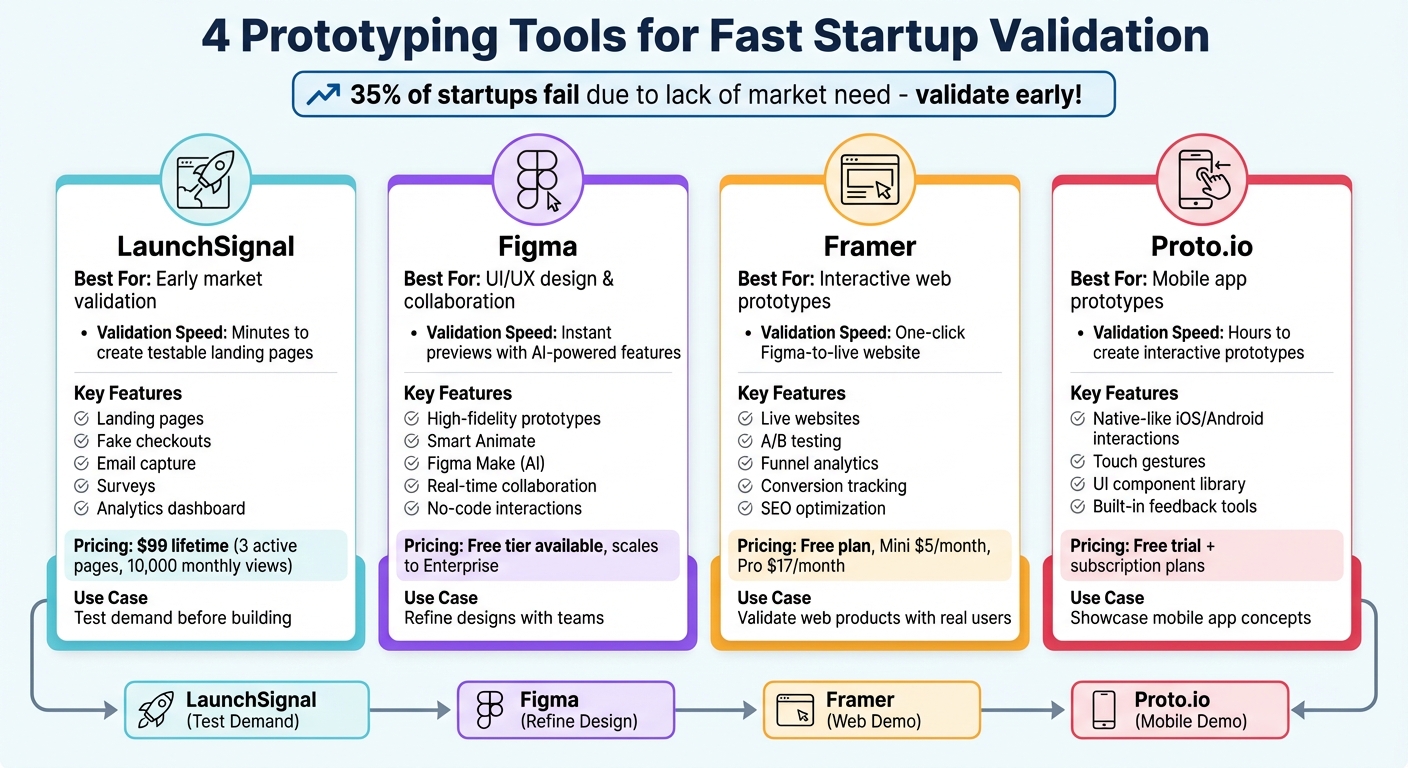
Prototyping Tools Comparison: Features, Pricing, and Best Use Cases for Startups
1. LaunchSignal
Validation Speed
LaunchSignal is designed for founders who need to act quickly. It transforms an idea into a testable landing page - no coding required. This means you can shift from brainstorming to a tangible proof of concept in just minutes, giving you a way to gauge real market interest without delay.
Key Features
The platform is all about capturing genuine user feedback before you invest in building a product. You can add tools like email capture forms, surveys, and even fake checkout buttons to test how users interact with your idea. These "fake door" features help you measure interest and engagement. Plus, the built-in analytics dashboard lets you see which concepts resonate most, making it easier to compare ideas and decide your next steps.
Pricing
LaunchSignal offers a one-time Lifetime plan for $99. This includes 3 active validation pages, 10,000 monthly page views, email capture forms, questionnaires, fake checkout options, an analytics dashboard, and email support. It’s a straightforward deal for early-stage founders who want to validate their product-market fit without committing to ongoing subscription fees.
Best Use Case
LaunchSignal shines when it comes to early-stage validation. It helps confirm if a problem matters to your audience, whether your solution resonates, and if people are willing to pay for it. Up next, we’ll dive into how Figma supports collaborative UI/UX design.
2. Figma
Validation Speed
Figma streamlines the design and prototyping process by merging both into a single platform, allowing for instant previews and quick iterations. With its newest addition, Figma Make, the platform takes efficiency up a notch. This feature can generate layouts, logic, and navigation from simple text prompts. For example, in November 2025, entrepreneur Aaron Veale used Figma Make to develop a marketplace app, turning his vision into a working prototype in just a few weeks.
Key Features
Figma's Smart Animate feature automatically creates smooth transitions, like parallax scrolling or touch gestures, making your prototypes feel polished. For more advanced interactions, Figma allows the use of variables, conditional logic, and expressions - no coding required. It also supports multiple user flows within a single page, so you can test different scenarios, such as account creation or checkout processes, side by side. To make testing even more realistic, you can link prototypes to live backends like Supabase. This lets you see how your product performs with real user data instead of placeholders.
"When the developers see it, it feels real. They know exactly how to begin developing. Those prototyping tools are just elite." - Andrew Matthews, Design Director, YETI
Pricing
Figma offers a free tier that includes full prototyping capabilities, making it an excellent option for startups on a budget. All prototyping tools are available across every plan, from free to enterprise. Users with edit access can build prototypes, while those with view-only access can review them in Presentation view, making it easy to gather feedback from stakeholders.
Best Use Case
Figma shines when it comes to creating high-fidelity UI/UX prototypes that look and feel like real apps. It's especially useful for teams working with developers or stakeholders who need a clear vision of how the product will function. The AI-powered Figma Make feature is a game-changer for non-designers, allowing them to transform ideas into interactive prototypes with ease. Up next, we’ll explore how Framer bridges the gap between design and live websites.
3. Framer
Validation Speed
Framer takes designs created in Figma and transforms them into fully interactive, live websites with just one click. By using the Figma-to-HTML plugin, you can import your designs and instantly convert them into responsive layouts, making it simple to move from static screens to a functional, testable web experience in just minutes. Framer also comes equipped with built-in A/B testing and funnel analytics, allowing you to measure conversion rates in real time.
Key Features
Framer is designed to create high-fidelity, interactive experiences, complete with animations and user flows. Its "Funnels" feature lets you track specific user actions - like button clicks or form submissions - giving you valuable data to assess product-market fit before diving into full-scale development. Additionally, you can set up conversion tracking to analyze visitor behavior across different devices and regions, helping you identify which design variations perform best.
"Best tool in market to create and ship website live faster." - Priya P., Product Designer
Pricing
Framer offers a free plan that includes the basic tools needed to design and publish websites. For more advanced needs, the Mini plan is available at about $5 per month, supporting landing pages with custom domains and up to 1,000 visitors. The Pro plan, priced at roughly $17 per month, provides access to advanced analytics, staging environments, and supports up to 200,000 visitors.
Best Use Case
Framer is an excellent choice for quickly validating a product idea with real users. It’s particularly useful for startups looking to test market demand with a functional landing page before committing to full product development. With features like instant publishing, built-in analytics, and SEO optimization, Framer sites are not just prototypes - they can also serve as fully operational websites during the validation phase. For mobile app prototyping, Proto.io could be a strong next step.
sbb-itb-9a9c51d
4. Proto.io
Validation Speed
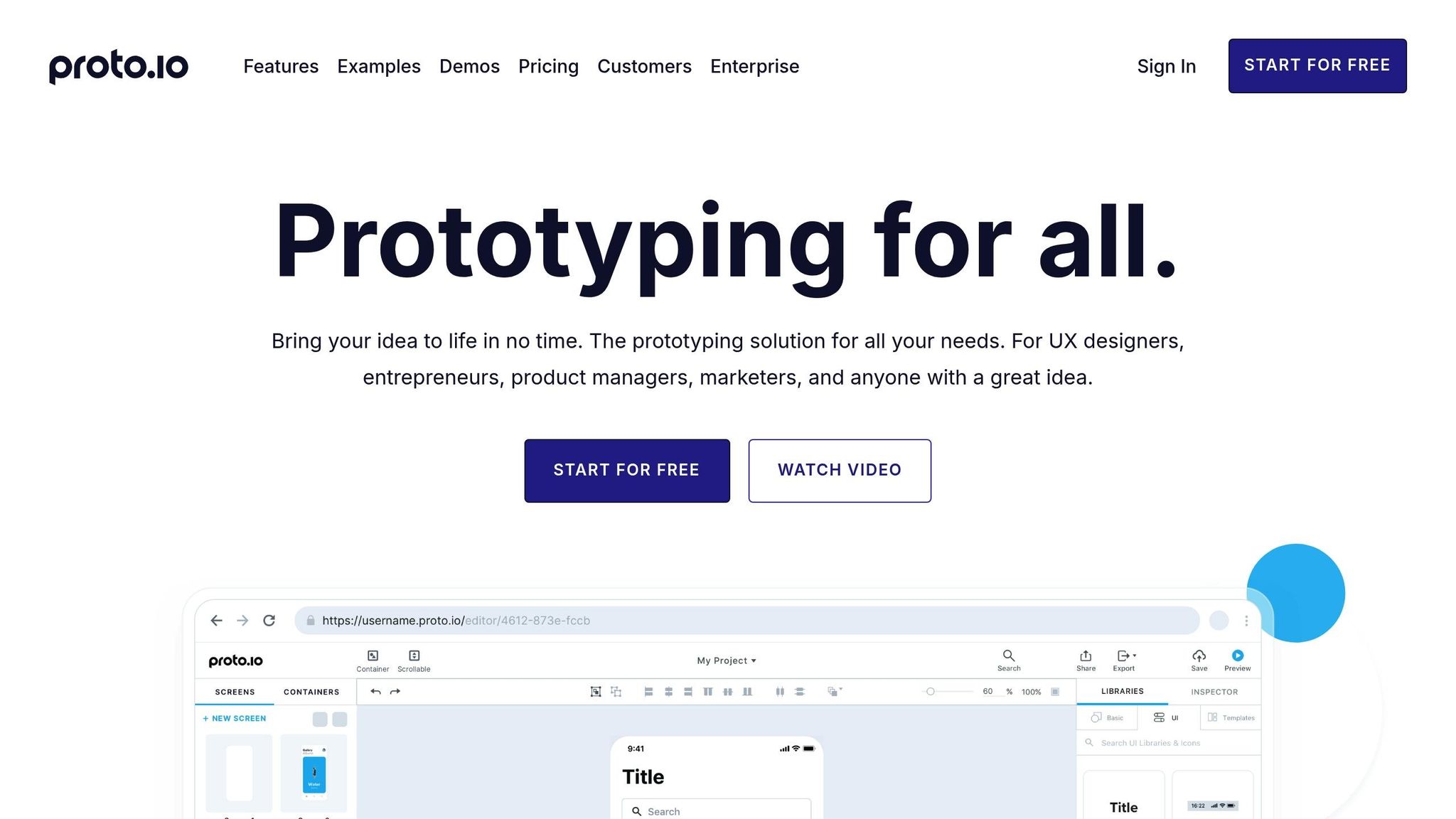
If you're focused on mobile app development, Proto.io is a fantastic tool to bring your ideas to life quickly. Unlike Framer, which shines in web-based prototypes, Proto.io is tailored for mobile apps, offering a way to create interactive prototypes that feel like the real deal. With its intuitive interface, you can build clickable, interactive prototypes in just a few hours. Sharing these prototypes is a breeze too - send a link or generate a QR code, and you're set to gather user feedback instantly.
Key Features
Proto.io stands out by letting you craft high-fidelity mobile prototypes without needing to write a single line of code. It mimics native iOS and Android app interactions, including touch gestures and seamless screen transitions. The platform also comes with a rich library of pre-made UI components and templates, making the design process smoother and faster. On top of that, Proto.io offers built-in tools for collecting user feedback directly within the prototype, helping you validate your app concept efficiently.
Pricing
Proto.io provides a free trial to get you started, along with several subscription options tailored for individuals and teams. This tiered pricing structure makes it an affordable choice, especially for early-stage startups that need to test their mobile app ideas without making a big financial commitment. It’s a practical solution for startups working within tight budgets while still requiring robust prototyping tools.
Best Use Case
Proto.io is perfect for showcasing mobile app concepts with a polished, interactive experience. Whether you’re presenting an onboarding flow, a checkout process, or other key interactions, Proto.io helps you demonstrate your app’s potential to investors, co-founders, or early users. It’s particularly well-suited for consumer-focused mobile apps, where delivering an engaging user experience is critical to achieving product-market fit.
Strengths and Weaknesses
When deciding which tool to use, it's helpful to weigh each one's standout feature against its limitations. Here's a closer look at what each tool excels at and where it might fall short.
LaunchSignal is perfect for quickly turning ideas into actionable user feedback. It gathers data through email forms, surveys, and even fake checkouts, helping you validate demand before diving into full-scale development. However, its $99 lifetime plan limits you to just three active pages, which can be restrictive if you're juggling multiple concepts. This makes it best suited for early-stage validation when you're testing the waters with minimal investment.
Figma shines with its real-time collaboration tools, including features like Auto Layout and Smart Animate. Its cloud-based platform allows teams to work together seamlessly, with everyone able to see updates as they happen. That said, its extensive feature set can be intimidating for those without a design background. While tools like FigJam and AI-powered helpers ease the learning curve, non-designers may still need time to get comfortable.
Framer stands out for creating web-based prototypes that feel nearly production-ready. It's an excellent choice for presenting polished demos of web products. However, its customization options are somewhat limited compared to tools that rely on detailed coding, which might be a drawback for highly specific needs.
Proto.io specializes in building realistic, interactive mobile prototypes with clickable elements and smooth transitions - all without requiring you to write production code. On the flip side, its interface can be a bit tricky for beginners, meaning you'll need to invest some time to get up to speed.
Ultimately, your choice should depend on your current goals. Whether you're sparking early interest with LaunchSignal, fine-tuning designs in Figma, showcasing sleek web demos with Framer, or testing mobile interactions using Proto.io, pick the tool that best supports your validation stage.
Conclusion
Choose your prototyping tool based on where you are in your validation journey. If you're still gauging demand before building, LaunchSignal is a great starting point. It allows quick market testing with features like fake checkouts to capture user interest. Plus, with its $99 lifetime plan covering three active pages and up to 10,000 monthly views, it’s an affordable option for early-stage exploration.
When it’s time to focus on refining your designs, Figma stands out. Its high-fidelity prototyping capabilities and real-time collaboration tools make it ideal for teams working on detailed mockups. And for presenting polished, interactive prototypes to stakeholders or investors, Framer delivers clickable demos that closely resemble the final product. On the other hand, if your focus is on mobile experiences, Proto.io shines by offering realistic, no-code mobile interactions.
Keep in mind, 35% of startups fail due to a lack of market need. The right tool should help you test your riskiest assumptions early. Also, usability testing with just five users can uncover 85% of issues, so don’t wait for perfection - get your prototype in front of real users as soon as possible.
The key is aligning each tool with your current stage: use LaunchSignal for early demand validation, Figma to refine flows, Framer for interactive web demos, and Proto.io to test mobile interactions. Remember, validation is about learning what truly matters - not about having the fanciest features.
FAQs
How can LaunchSignal help me validate my startup idea quickly?
LaunchSignal makes testing and validating your startup idea straightforward and efficient. With its tools, you can create landing pages designed to grab attention and convert visitors into engaged users. Thanks to its pre-made templates, setting up a landing page takes just minutes. From there, you can gather valuable insights through features like email sign-ups, surveys, and even simulated checkouts to gauge user interest.
The platform also includes analytics to compare different ideas side by side. This helps you understand what clicks with your audience, enabling you to fine-tune your product idea while conserving both time and resources.
How do Figma and Proto.io differ for prototyping needs?
Figma and Proto.io are both excellent tools for creating interactive prototypes, but they cater to different needs. Figma shines when it comes to real-time collaboration, making it a go-to choice for larger teams working on detailed UI designs. With features like a free tier, version control, and smooth developer handoff, it’s built for teamwork and projects that need room to grow.
Meanwhile, Proto.io is better suited for smaller teams aiming to quickly create high-fidelity mobile app mockups. It’s designed for rapid prototyping and includes robust error-handling capabilities. However, it lacks a free version, with pricing starting at $24 per month.
After building your prototype, tools like LaunchSignal can help you take the next step. They allow you to create landing pages, gather user feedback, and analyze data to guide your decisions.
When is Framer the best choice for prototyping in a startup?
Framer is an excellent option for startups looking for a prototyping tool that merges design and interactivity into a single platform. It stands out for its ability to create visually stunning, highly interactive prototypes - no deep coding expertise needed.
For startups that value speed, teamwork, and testing dynamic user experiences, Framer offers a practical solution. Its intuitive drag-and-drop interface and ready-to-use components allow you to turn ideas into reality quickly, making it easier to validate concepts and refine them efficiently.
Start validating ideas in minutes not days
Create high-converting landing pages. Test with real users. Get purchase signals. Know what to build next.
Visit LaunchSignal