December 23rd, 2025
Top Tools for Survey Data Collection 2025
Compare the best survey tools for 2025 — pricing, features, and limitations to help you pick the right platform for your research and feedback needs.
Warren Day
In 2025, collecting survey data has become easier and more efficient with tools that cater to various needs, from small businesses to enterprises. Here’s a quick overview of the best tools available:
- LaunchSignal: Great for product validation with a lifetime plan at $99. Limited to 3 active pages.
- ProProfs Survey Maker: Affordable starting at $19.99/month, ideal for NPS and CSAT surveys. Limited admin access.
- Jotform: Offers customization and payment collection starting at $34/month. Single-user plans can be restrictive.
- SurveyMonkey: Trusted for large-scale research, starting at $39/month. Free plan is highly limited.
- Google Forms: Free, simple, and unlimited but lacks advanced features.
- Typeform: Interactive surveys starting at $25/month. Free plan capped at 10 responses.
- Zonka Feedback: Advanced sentiment analysis from $49/month. Offline capabilities available.
- FastField: Best for mobile-first field data collection at $25/user/month. No free option.
- Centiment: Market research-focused, starting at $59/month. Offers global audience access.
- Pollfish: Pay-per-response model at $0.95/response. Costs can rise for larger samples.
Quick Comparison
| Tool | Starting Price | Best For | Main Limitation |
|---|---|---|---|
| LaunchSignal | $99 (lifetime) | Product validation | Limited to 3 active pages |
| ProProfs Survey Maker | $19.99/month | NPS and CSAT surveys | Single admin access |
| Jotform | $34/month | Custom forms with payments | Single-user plans |
| SurveyMonkey | $39/month | Large-scale research | Highly limited free plan |
| Google Forms | Free | Basic surveys | Lacks advanced features |
| Typeform | $25/month | Interactive surveys | Free plan capped at 10 responses |
| Zonka Feedback | $49/month | Sentiment analysis | Advanced AI in higher-tier plans |
| FastField | $25/user/month | Field data collection | No free plan |
| Centiment | $59/month | Market research | High starting cost |
| Pollfish | $0.95/response | Fast consumer insights | Costs rise with larger samples |
Choose a tool based on your budget, survey complexity, and data collection goals. Whether you need simple forms or advanced analytics, there’s a solution for every need in 2025.
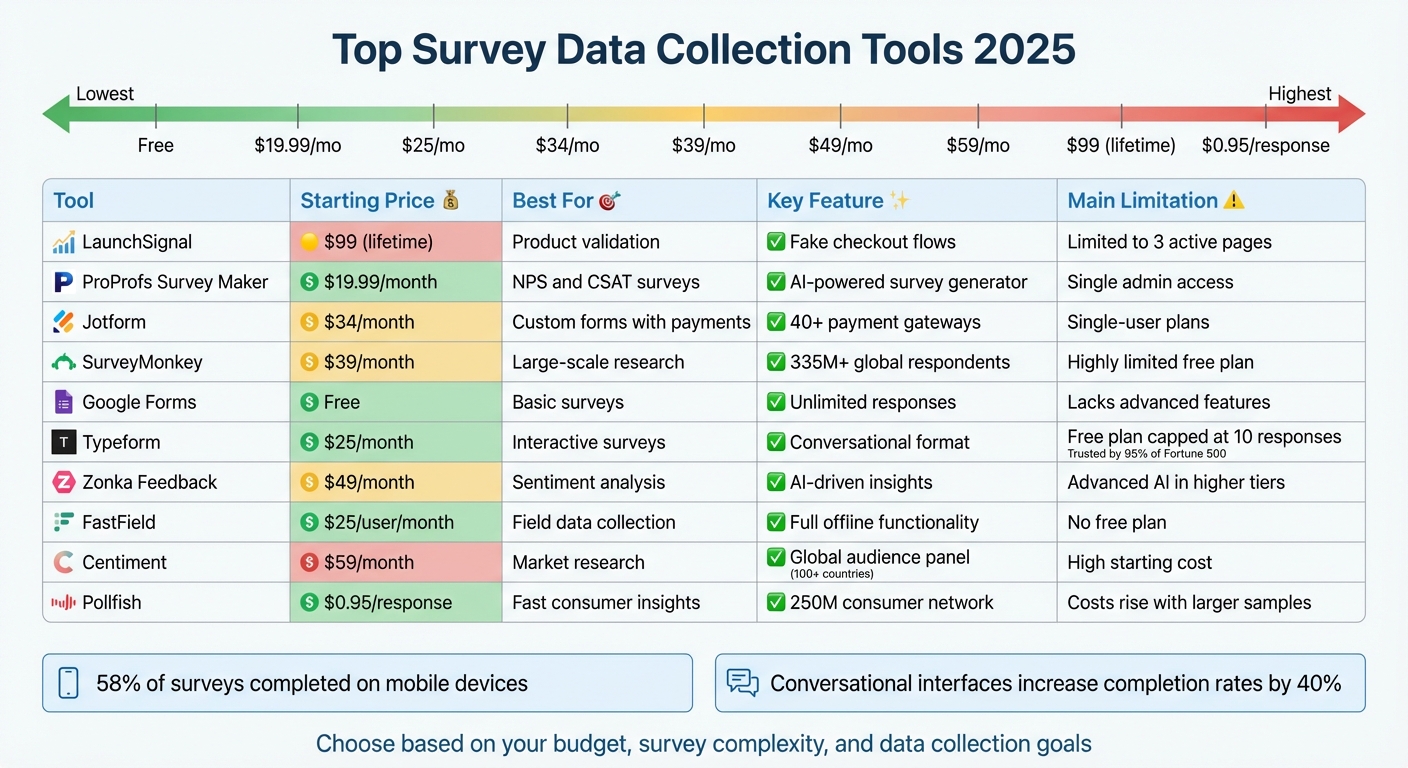
Survey Data Collection Tools 2025: Price and Features Comparison
1. LaunchSignal
Best For
LaunchSignal is tailored for product teams and entrepreneurs looking to combine survey data collection with landing page validation. If you're juggling multiple product ideas and need real user feedback before diving into full-scale development, this tool is a perfect match. Its focused design aligns well with a cost-conscious pricing model.
Starting Price (USD/month)
LaunchSignal offers a one-time lifetime plan for just $99 - no recurring fees. This makes it a great choice for early-stage product validation without ongoing costs.
Key Data Collection Features
LaunchSignal allows you to gather user signals using three main methods: email forms, questionnaires, and fake checkout flows. The fake checkout feature is particularly useful - it helps measure purchase intent without requiring a full payment system. You can test up to three validation pages, with a generous allowance of 10,000 monthly views. Plus, an integrated analytics dashboard lets you export data and compare your ideas side by side.
Limitations
The lifetime plan restricts you to three active validation pages, which might feel limiting if you're exploring a wide range of product ideas. Additionally, the tool is designed specifically for early-stage validation and doesn't support long-term feedback collection.
2. ProProfs Survey Maker
Best For
ProProfs Survey Maker is ideal for small businesses, educators, and market researchers looking for an easy way to collect feedback. It works particularly well for running Net Promoter Score (NPS) and Customer Satisfaction (CSAT) surveys. If you're on a budget but need something more robust than free tools and less costly than enterprise solutions, this platform strikes a good balance. Its pricing structure makes it especially appealing for smaller-scale projects.
Starting Price (USD/month)
The Essentials plan starts at $19.99 per 100 responses per month, which includes 5,000 email sends and onboarding support. There's also a free plan that offers up to 50 responses monthly and 500 email sends, making it a good starting point for small teams to test out the platform.
Key Data Collection Features
ProProfs makes survey creation fast and simple with its AI-powered survey generator, which can create detailed forms in seconds based on a short description. With access to over 1,000,000 pre-made questions and 100+ templates, you can quickly design surveys tailored to your needs. The platform supports more than 20 question types, including multiple-choice, NPS scales, and even file uploads for images and videos. Features like skip logic and branching allow you to create personalized survey paths based on user responses.
Smart triggers can launch surveys based on user actions, such as scrolling or exit intent, ensuring you capture feedback before visitors leave. The tool also supports over 90 languages and integrates seamlessly with popular platforms like Salesforce, Mailchimp, Zendesk, and HubSpot.
Limitations
The platform only allows for a single administrator, which can limit team collaboration. Additionally, the templates aren't tailored to specific industries, and the visualization tools for analyzing data are somewhat basic.
3. Jotform
Best For
In 2025, Jotform continues to shine as a versatile tool for survey data collection, especially for businesses that require payment processing alongside form-building. It's a great fit for small to medium-sized businesses needing customizable forms with integrated payment options. Healthcare providers benefit from its HIPAA-compliant features, retail businesses can collect customer feedback while processing payments, and field teams can gather data offline. With a wide range of templates, Jotform handles everything from basic contact forms to complex, multi-step surveys using conditional logic.
Starting Price (USD/month)
The Bronze plan starts at $34 per month (billed annually), offering 25 forms and 1,000 monthly submissions. For those wanting to explore the platform, a free Starter plan is available, which includes 5 forms and 100 monthly submissions. Educational institutions and nonprofits can enjoy a 50% discount on paid plans.
Key Data Collection Features
Jotform's intuitive drag-and-drop builder makes it easy for anyone to create forms - no coding required. Conditional logic ensures surveys stay concise, improving completion rates. For teams working in the field, the Mobile Forms app allows offline data collection, which syncs automatically once back online.
The Workflow Builder simplifies task approvals and integrates with tools like Asana and Slack. Payment collection is seamless, with over 40 gateways supported, including Stripe, PayPal, and Square. Responses are organized efficiently using Jotform Tables, a hybrid of a spreadsheet and database, while the Report Builder creates visual charts and PDFs without extra formatting effort.
"JotForm is super-easy to learn - the buttons are apparent and straightforward... I use JotForm daily, making my working life easier and more effective." - Ed S., Jotform Reviewer
These features make Jotform a powerful tool, though it does come with some drawbacks.
Limitations
One of the main downsides is that standard paid plans are limited to a single user. Teams requiring multi-user access must upgrade to the Enterprise tier, which comes at a significantly higher cost. Users working with large, data-heavy forms have occasionally reported performance slowdowns. Additionally, the free plan includes only 100 MB of storage, and if you exceed your submission storage limit, older responses are automatically deleted to make room for new ones.
4. SurveyMonkey
Best For
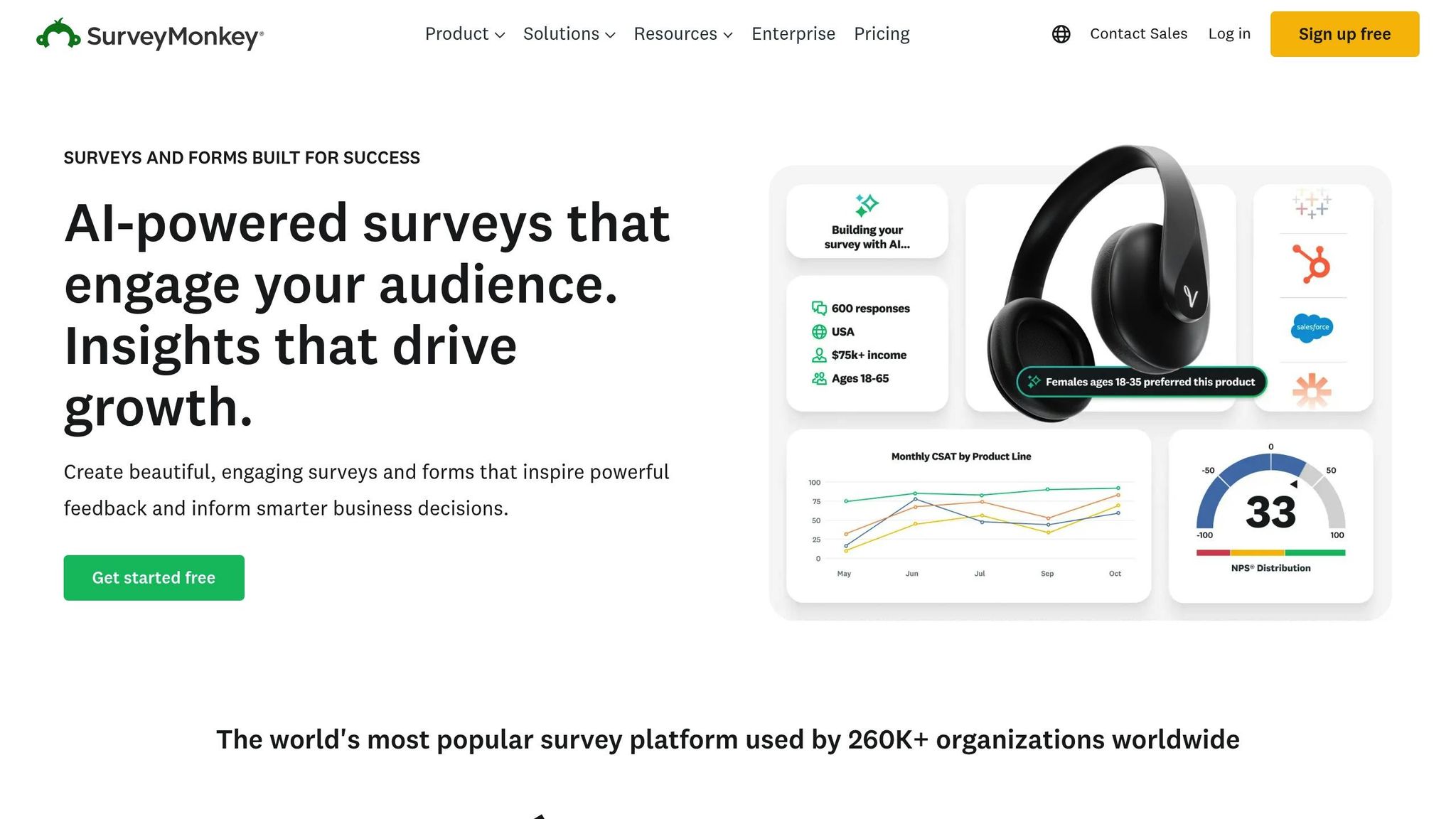
SurveyMonkey is a go-to platform for professionals in research, HR, and marketing who need to gather large volumes of data efficiently. Trusted by over 260,000 organizations worldwide, it’s used for everything from employee engagement surveys to broad market research efforts. One standout feature is its AI-driven survey creation, which streamlines the process and ensures clarity. For instance, Hornblower, a company serving 20 million customers annually, leverages SurveyMonkey's AI to refine survey flow and simplify questions. These capabilities make it a top contender for organizations conducting extensive research.
Starting Price (USD/month)
SurveyMonkey's pricing starts with the Individual Advantage plan at $39 per month (billed annually at $468). This plan includes unlimited questions and up to 15,000 responses per year. There’s also a free Basic plan, but it limits users to 10 questions per survey and a total of 25 responses. For teams, the Team Advantage plan costs $30 per user per month, requiring at least three users, and includes 50,000 shared responses annually.
Key Data Collection Features
SurveyMonkey's "Build with AI" tool can generate full surveys in less than a minute, drawing from a massive dataset of over 100 billion answered questions. The platform supports over 25 question types, including options for payment collection via Stripe or PayPal. It also offers advanced logic tools like skip logic, page branching, and question piping to create tailored survey experiences.
The SurveyMonkey Audience feature provides access to a global panel of over 335 million respondents in more than 130 countries. Surveys can be distributed through various channels, including web links, email, QR codes, social media, SMS, and website embeds. To ensure data quality, features like Response Quality Detection filter out low-quality responses, and the Survey Score tool highlights potential survey design flaws before distribution.
"Within a few months, our NPS was up almost 15 points. SurveyMonkey changed the way that data was getting into people's hands and it changed what they were able to do with it."
– Matt Schoolfield, Senior Manager of Commercial Analytics, Greyhound
Greyhound saw its NPS response rates soar to 94% after adopting SurveyMonkey.
Limitations
The free Basic plan comes with tight restrictions, limiting surveys to 10 questions and 25 responses. Most professional plans require annual billing, which might not suit short-term projects. Essential features like SMS surveys and offline data collection via the SurveyMonkey Anywhere app are locked behind Enterprise plans. Additionally, exceeding response limits incurs a $0.15 fee per extra response. For team plans, a minimum of three users is mandatory.
5. Google Forms
Best For
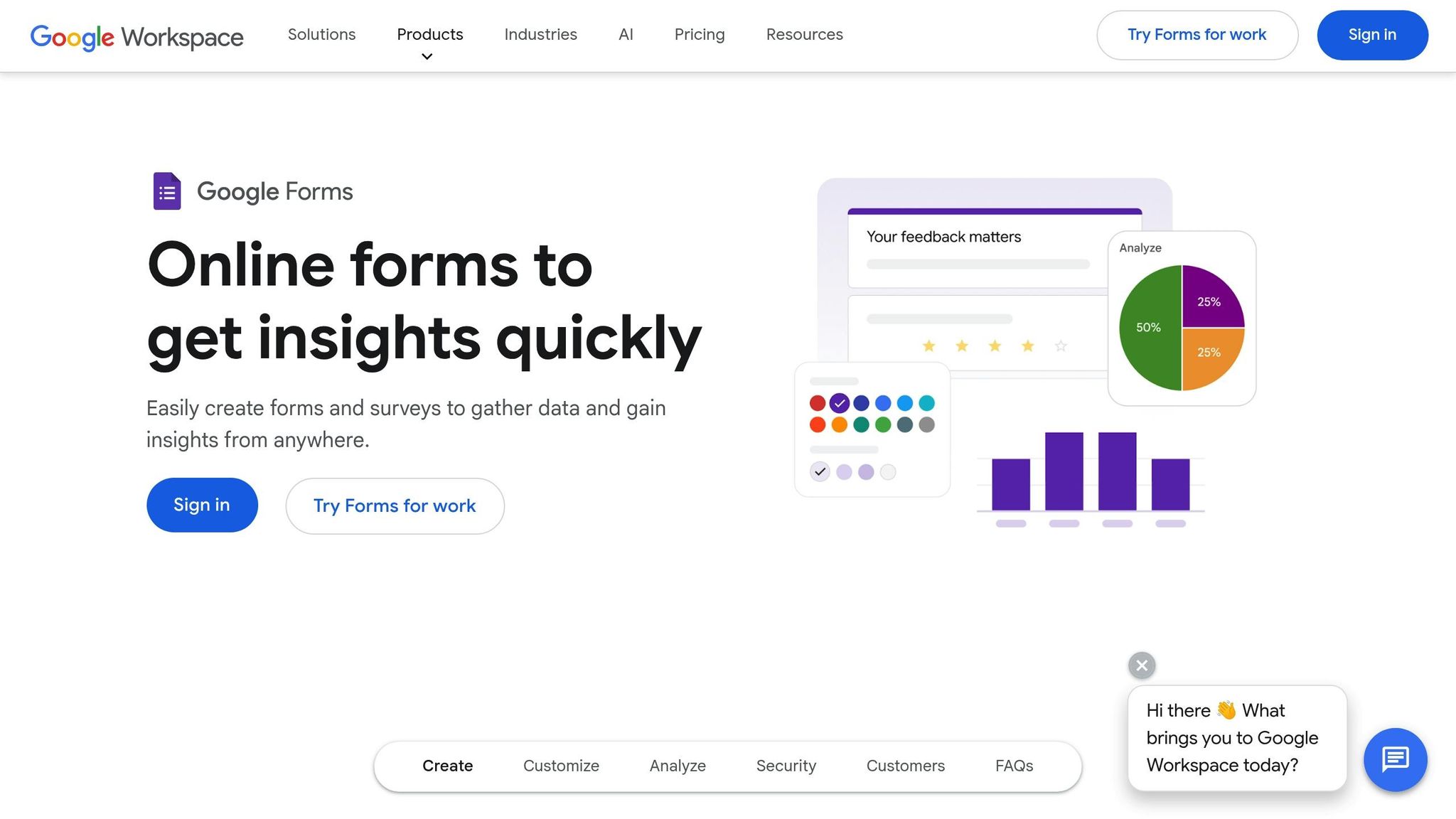
Google Forms is a go-to tool for educators, small teams, and anyone looking for a straightforward, no-cost solution for collecting data. It’s perfect for tasks like classroom quizzes, event RSVPs, internal polls, and basic feedback forms, offering unlimited questions and responses for free. Plus, if you're already using Google Workspace, the integration is seamless. For example, the RSPCA moved away from emails, paper forms, and PDFs, streamlining processes like recruitment approvals with Google Forms. Alan Moynihan, Head of IT Customer Solutions, highlighted its impact:
"Everything is accessible anytime, anywhere; it's indispensable to how we work."
This simplicity paired with its integration capabilities makes Google Forms a practical option for a variety of data collection tasks.
Starting Price (USD/month)
Google Forms is free for personal use with no restrictions on questions or responses. For organizations that need additional features within Google Workspace, the Business Starter plan begins at $6 per user per month.
Key Data Collection Features
Google Forms supports 12 types of questions, including short answers, multiple choice, checkboxes, file uploads, linear scales, and checkbox grids. Responses are automatically synced to Google Sheets, making it easy to analyze data instantly. Jerry Yang of HwaCom shared that connecting Sheets with analytics tools enhances productivity and management efficiency.
The platform also includes basic conditional logic, allowing users to direct respondents to specific sections based on their answers ("Go to section based on answer"). Data validation ensures fields like email addresses and dates are correctly formatted. For respondents logged into a Google Account, progress is saved as a draft for up to 30 days. Teams can collaborate in real time to create forms and review results, similar to working in Google Docs. Google Forms holds a solid 4.6/5 rating on G2, based on verified user reviews.
Limitations
While Google Forms is easy to use, it falls short when it comes to advanced features for complex research. Conditional logic is limited to multiple-choice and dropdown questions, restricting the ability to create more intricate survey paths. Customization options for design and branding are also minimal compared to specialized tools. The platform lacks built-in payment processing, e-signature fields, and ranking question types. Additionally, it doesn’t offer advanced analytics like sentiment analysis or predictive insights. For organizations that need more sophisticated workflows or in-depth customization, exporting data to external tools may be necessary.
6. Typeform
Best For
Typeform shines when it comes to creating interactive, conversational surveys. Its one-question-at-a-time format helps reduce survey fatigue, making it particularly effective for gathering qualitative insights. Trusted by 95% of the Fortune 500, it’s a go-to choice for tasks like customer feedback, lead generation, event registrations, and user research.
Chase Clark, Senior UX Researcher at Calm, shared his experience with Typeform:
"With Typeform, we realized that we could get more surveys out and we wouldn't be limited in the same ways as we were with other survey companies."
The platform has delivered measurable results for many organizations. For instance, SmartBug Media reported a 40% increase in sales lead volume quarter-over-quarter by using Typeform for lead capture. Similarly, Barry's leveraged it to handle bookings for a virtual event attended by 60,000 participants. These examples highlight the platform's versatility and value, backed by straightforward pricing plans.
Starting Price (USD/month)
Typeform’s Basic plan costs $25 per month (billed annually at $300/year) and includes 100 responses per month, unlimited forms and questions, 1 GB of storage, and access to over 3,000 templates. For those just starting, a free plan is also available but limits users to 10 responses per month. To remove Typeform branding and access advanced features, users can upgrade to the Plus plan at $50 per month.
Key Data Collection Features
Typeform supports 28 question types, including NPS, opinion scales, ranking, and file uploads. Its Logic Jumps feature ensures surveys adapt dynamically based on respondents' answers, showing only the most relevant questions. With Typeform AI, forms can be generated from natural language prompts, reportedly increasing data collection efficiency by up to 3.5x. Customization is another strength, allowing users to apply themes, fonts, and layouts without needing coding skills. The platform is also GDPR and HIPAA compliant and integrates seamlessly with tools like HubSpot, Salesforce, Slack, and Google Sheets. It holds an impressive 4.5/5 rating on G2.
Limitations
While Typeform offers many strengths, its Basic plan’s 100-response limit can be a hurdle for larger campaigns, and removing Typeform branding requires an upgrade. Advanced analytics, such as drop-off rates and conversion tracking, are only available in higher-tier plans. Some users have also noted that the design-heavy interface can slow performance on data-heavy forms. Additionally, features like custom subdomains and advanced analysis are missing from the free and Basic plans.
sbb-itb-9a9c51d
7. Zonka Feedback

Best For
Zonka Feedback is tailored for enterprise-level customer experience management and businesses operating across multiple locations. It shines in offline data collection, making it a strong choice for industries like healthcare, retail, SaaS, finance, and eCommerce. The platform is particularly effective for tasks such as transactional surveys, field research, event lead capture, and gathering in-product feedback.
SmartBuyGlasses shared their success story after adopting Zonka Feedback:
"Zonka Feedback has been a game changer for us. We've managed to increase our NPS by 30%."
Similarly, Kanagaraj S. from Sankara Eye Hospital noted:
"Through this app we were able to track our patient experience on real time. This helps us to ensure that all our patients leave our hospital with a positive experience."
The platform's ability to capture data across multiple channels makes it a strong contender, especially when paired with its competitive pricing.
Starting Price (USD/month)
Zonka Feedback offers paid plans starting at $49 per month for online surveys. If your business requires offline data collection via tablets or kiosks, pricing begins at $15 per device per month. A 14-day free trial is available to explore premium features, and custom pricing options are offered for enterprise needs.
Key Data Collection Features
Zonka Feedback supports a wide range of distribution channels, including email, SMS, WhatsApp, popups, embedded buttons, in-product SDKs, QR codes, and kiosks. Its AI Feedback Intelligence goes a step further by analyzing sentiment, emotion, and intent, while auto-tagging themes and summarizing qualitative data.
The platform includes over 100 customizable templates, 40+ question types, and advanced features like skip logic, branching, white-labeling, and multilingual support in 50 languages. Its offline functionality, powered by native iOS and Android apps, allows data collection without internet access. Once connectivity is restored, the data syncs automatically in the background. Zonka Feedback has earned a 4.7/5 rating on G2 and meets rigorous standards, being ISO 27001:2022 certified and compliant with GDPR and HIPAA.
Limitations
Zonka Feedback does have some drawbacks. It lacks native IVR or voice-call capabilities for phone-based surveys and isn’t ideal for GIS-heavy field inspections requiring detailed map layers. Advanced AI tools are only available with higher-tier plans, and the interface can slow down when handling large datasets or complex configurations. Additionally, some integrations may need custom development to function seamlessly.
8. FastField
Best For
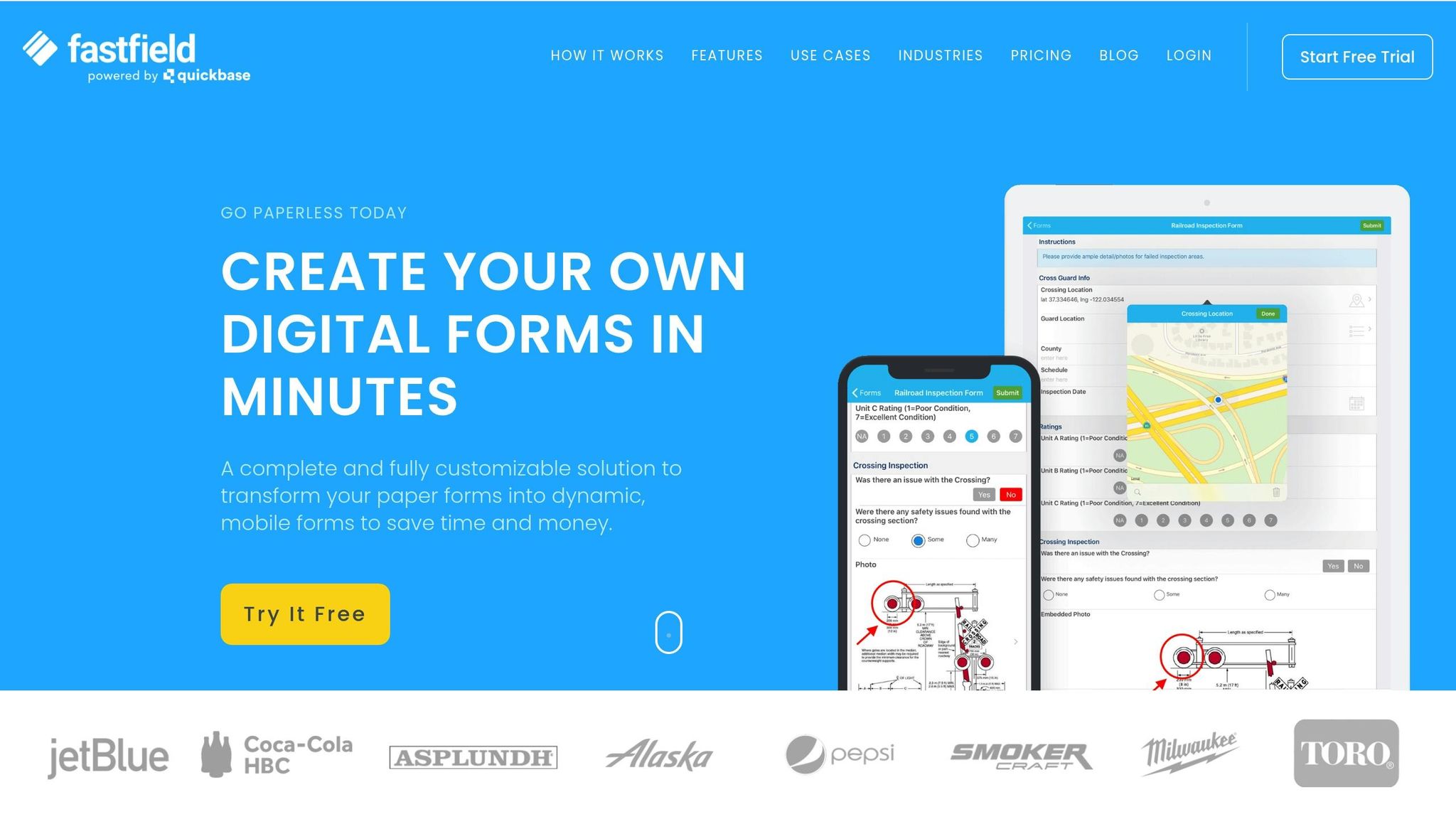
FastField is tailored for mobile-first field data collection, making it a go-to solution for teams working in low or no connectivity areas. It's ideal for scenarios like hazard reporting, incident planning, and field research where capturing accurate, detailed data is crucial. The platform shines in its ability to handle rich datasets, including image annotations, drawings, and GPS coordinates. For organizations that deal with large amounts of data, FastField simplifies the process by converting raw inputs into easy-to-understand charts and graphs.
Starting Price (USD/month)
FastField's pricing starts at $25 per user per month for unlimited forms, with an annual billing option reducing the cost to $22.50 per user per month. While there’s no free plan, a 14-day free trial is available for testing. Costs can add up for larger teams, so budgeting is important.
Key Data Collection Features
FastField offers full offline functionality, letting users collect data, capture images, and record GPS coordinates without needing an internet connection. It supports advanced data inputs like time-stamped videos, audio recordings, signatures, and barcode scanning. The platform’s drag-and-drop form builder, complete with field tooltips, makes creating complex forms straightforward. FastField has earned a 4.8/5 rating on Capterra, with users praising its mobile-friendly interface and helpful tutorial videos. Data can be exported into branded templates in PDF or DOCX formats, and the platform integrates with apps like Slack, Trello, and Google Sheets via Zapier or API.
Limitations
One downside is the lack of a free plan, which means you'll need to commit financially upfront. Additionally, there’s no phone support, so resolving technical issues relies on a ticket-based system, which can be slower. Some users have reported occasional glitches with third-party integrations. Lastly, the per-user pricing model can become expensive as your team grows.
9. Centiment
Best For
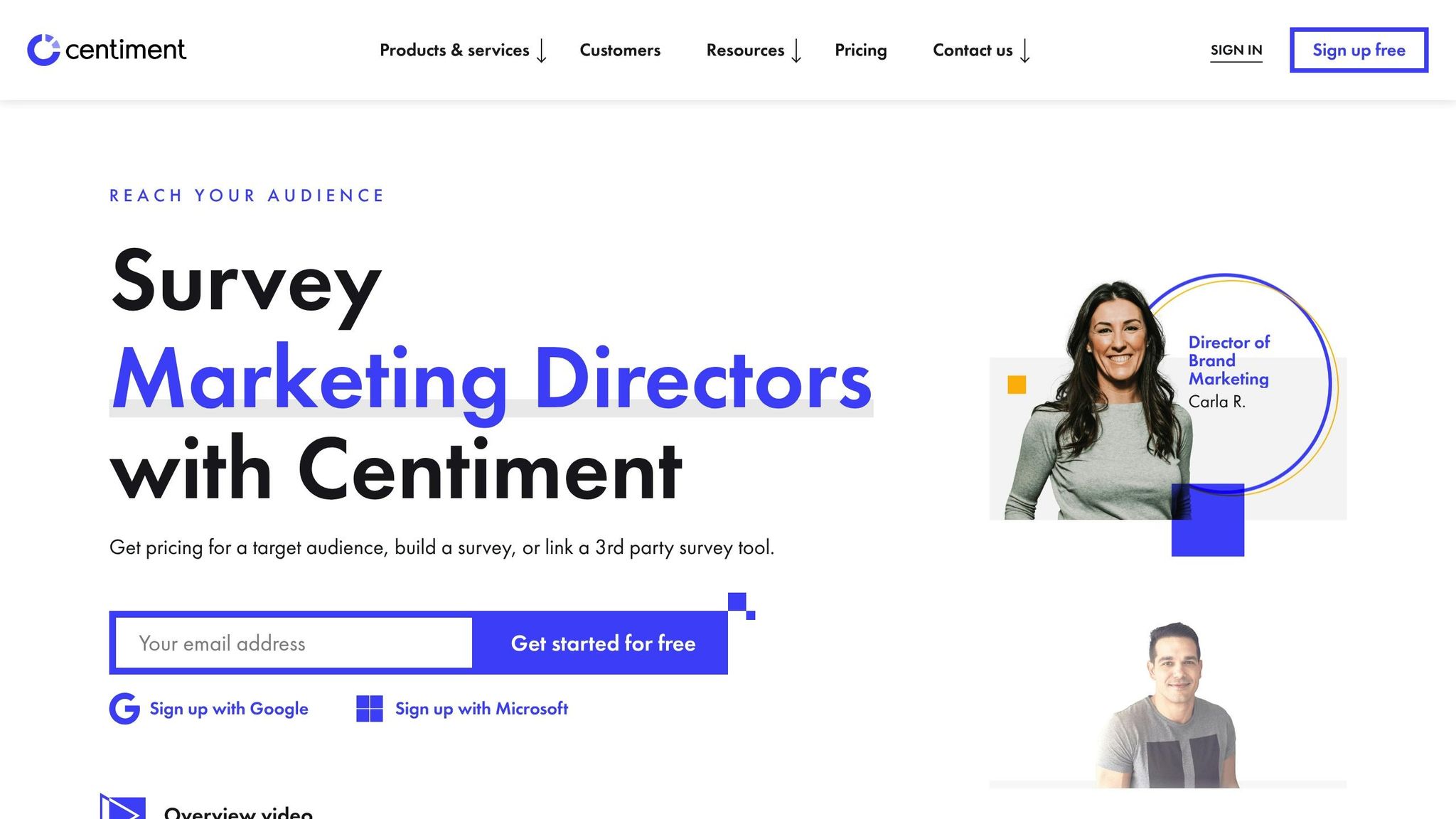
Centiment is tailored for enterprise-level market research and academic studies, particularly those requiring access to a wide range of global respondents. It’s a great choice for tasks like defining customer personas, validating creative concepts, and testing brand awareness on an international scale. A standout feature of Centiment is its global audience panel, which connects researchers to both consumer and B2B respondents across more than 100 countries. For those without an existing contact list, Centiment also provides professional research services, offering help with everything from survey design to data analysis.
Starting Price (USD/month)
Centiment offers a free plan, allowing users to collect up to 20 responses before subscribing. The paid Essentials plan starts at $59 per month (or $708 annually) and includes 10,000 responses per year. For larger needs, the Professional plan costs $99 per month (or $1,188 annually) and increases the response limit to 30,000 per year while adding A/B testing capabilities. If you’re using Centiment's Audience Panel to purchase targeted responses, the survey tool itself is free, though panel pricing depends on your audience and the number of responses required.
Key Data Collection Features
Centiment comes with advanced survey logic options like skip logic, display logic, piping, scoring, and quotas, ensuring respondents only see questions relevant to them. Surveys can be shared through email, links, QR codes, or embedded on websites via inline, pop-up, or hover widgets. The platform’s quota management feature automatically disqualifies or redirects respondents when specific quotas are met, avoiding over-sampling. Data can be exported in formats like CSV, XLSX, or SPSS for further analysis.
Centiment has earned a 4.9/5 rating on G2 Crowd and Trustpilot, with users frequently highlighting its easy-to-use interface and extensive audience panel. It integrates seamlessly with tools like Salesforce, HubSpot, Slack, and Zapier, making it simple to incorporate feedback into existing workflows. These features make Centiment a strong contender among survey tools in 2025.
Limitations
The main downside is the cost - starting at $59 per month, it may feel pricey for smaller teams or individual researchers. Some users have also noted occasional interface glitches, which can slow down survey creation. For technical challenges, users relying on the Audience Panel might want to pair it with a third-party hosting service. Additionally, the platform lacks phone support, so resolving issues depends on their ticket-based system.
10. Pollfish
Best For
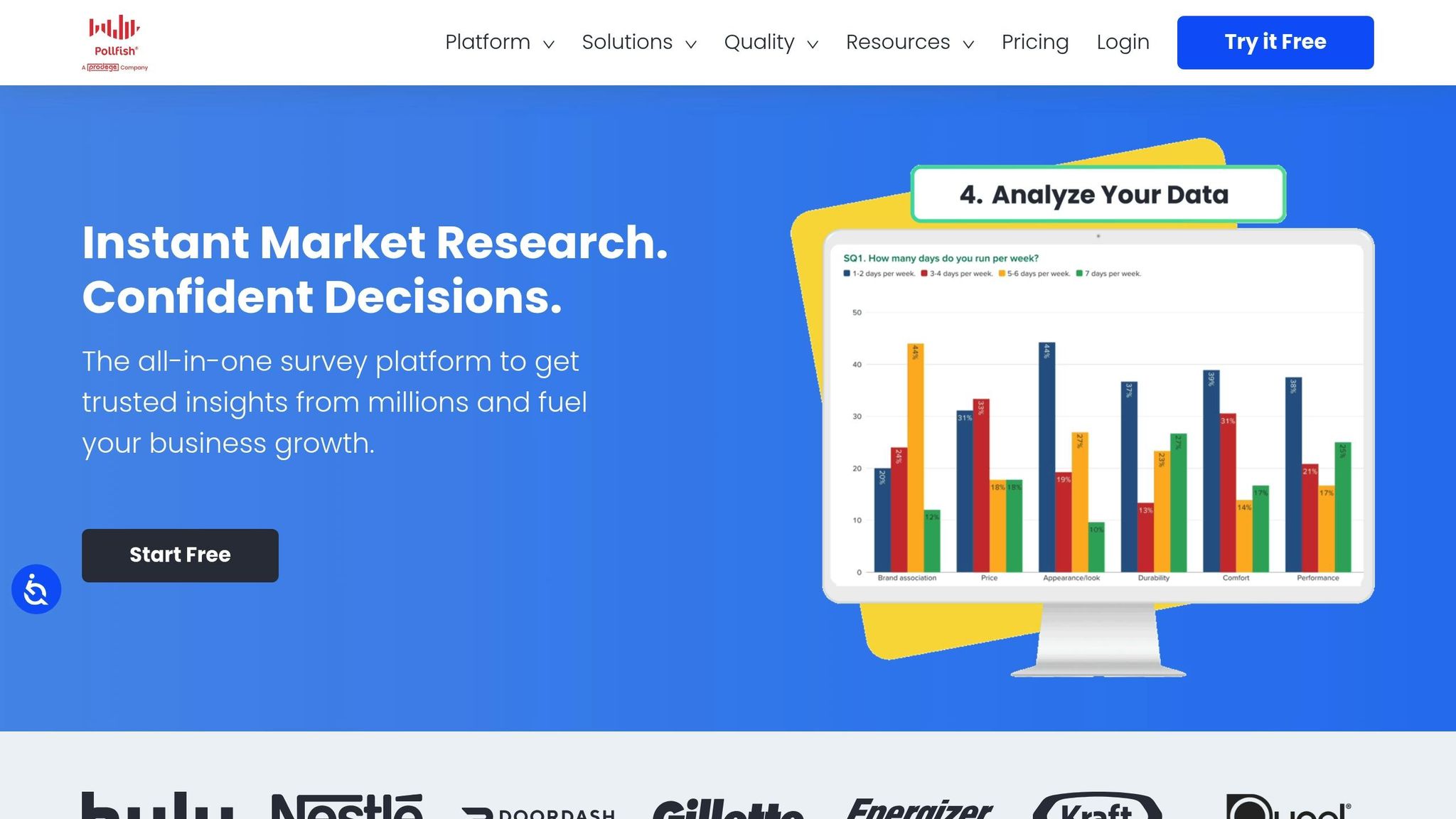
Pollfish caters to market researchers and brand managers who need quick, reliable consumer insights. The platform uses AI to generate surveys in minutes and offers precise behavioral targeting based on verified purchase data. With a network of 250 million consumers and advanced methodologies like Conjoint Analysis, Max Diff, and Van Westendorp price sensitivity testing, Pollfish ensures high-quality data collection without relying on third-party panels. These features make it a go-to choice for fast, accurate survey execution.
Starting Price (USD/month)
Pollfish works on a pay-per-response model, eliminating the need for a monthly subscription. Prices start at $0.95 per completed response, with real-time cost estimates as you design your survey. For larger projects exceeding $25,000, enterprise plans provide benefits like volume discounts, dedicated account management, and advanced features such as Single Sign-On (SSO). Teams can also collaborate seamlessly with unlimited member access.
Key Data Collection Features
Pollfish supports 16 question types, including specialized formats like A/B testing, Conjoint Analysis, and Max Diff. It also offers over 50 targeting parameters, covering demographics, location, lifestyle, employment, behavioral data, and media usage. Unlike many platforms, Pollfish owns its respondent communities, allowing for rigorous quality control. New respondents undergo a 30-day vetting process and are verified using AI-powered trap questions, unique IDs, and geolocation checks. Most general population surveys are completed within a few hours to two days.
"I received results in under 12 hours with an excellent customer experience. The program is impressively cost-efficient and productive." – Michael B., Product Manager, Consumer Goods
The platform includes an Insights Builder, enabling users to analyze data, create cross-tabs, and perform statistical significance tests - all without needing external tools.
Limitations
Pollfish only accepts credit card payments, which might be inconvenient for organizations requiring bank transfers. Some users have reported difficulties in accessing highly specific niche audiences. There are occasional concerns about data quality, such as speeders or low-quality open-ended responses, and survey approvals can be delayed over weekends, which may impact time-sensitive projects. Additionally, recent updates have introduced extra fees for certain demographic questions, like education and income, and some advanced statistical tools are only available on higher-tier plans.
Tool Comparison Table
Choose a tool based on your budget, desired features, and data collection goals. The table below highlights the key aspects of each platform for a quick overview.
| Tool | Starting Price | Key Features | Main Drawbacks |
|---|---|---|---|
| LaunchSignal | $99 (lifetime) | Pre-built landing page templates, email capture, questionnaires, fake checkouts, analytics for idea validation | Limited to 3 active validation pages and 10,000 monthly page views |
| ProProfs Survey Maker | Free (up to 50 responses); $19.99/100 responses/month | Easy-to-use interface, fast survey setup | Templates lack industry-specific options; basic plan limited to 1 admin |
| Jotform | Free; from $34/month | Extensive templates, over 40 payment options, 100+ integrations | Steep learning curve, single-user access on non-Enterprise plans, occasional app crashes |
| SurveyMonkey | Free (10 questions); from $25/user/month | AI-powered "Genius" tool, access to 335M+ global respondents in 130+ countries, advanced analytics | Free plan is highly restrictive (10 questions, 40 responses); mobile app issues; high cost for advanced features |
| Google Forms | Free | Unlimited questions and responses, seamless Google Workspace integration, simple interface | No offline access, limited branding and design options, basic analytics only |
| Typeform | Free (10 responses); from $25/month | Engaging, conversational format with one question at a time, mobile-friendly | Not suited for lengthy or complex surveys, occasional reporting issues, restrictive free plan |
| Zonka Feedback | From $49/month | AI-driven sentiment analysis, point-of-sale customer experience metrics, highly rated on Capterra | Limited design customization, fewer question types compared to competitors |
| FastField | $22.50/user/month (annual); $25/month (monthly) | Offline functionality, GPS tagging, branded PDF/Word exports, strong Capterra ratings | No free plan, lacks phone support, occasional integration issues |
| Centiment | From $59/month (annual) | Specialized feedback collection | High starting cost, survey builder has bugs |
| Pollfish | $0.95 per response (pay-per-response) | Access to a proprietary network of 250M consumers, 16 question types (including Conjoint Analysis), AI-driven quality control | Costs can quickly rise with larger sample sizes |
For basic, internal surveys, Google Forms is a solid free option with unlimited responses. However, paid tools provide more advanced features like AI-powered analytics, professional branding, and complex logic. Platforms like Typeform, FastField, and Zonka Feedback are optimized for mobile use, ensuring surveys perform well on smartphones.
If you're conducting detailed market research, SurveyMonkey offers access to a large global audience, while Pollfish uses its proprietary network to ensure high-quality data without relying on third-party panels. For quick product validation, LaunchSignal stands out with its landing page tools, and Jotform offers unmatched template variety, making it a great fit for e-commerce needs. While Pollfish's pay-per-response model avoids subscription fees, it may become costly for larger sample sizes.
Conclusion
Selecting the right survey tool in 2025 comes down to matching your specific needs with the right features. Whether you're working with free tools like Google Forms or advanced platforms such as LaunchSignal, each option caters to different goals - ranging from simple feedback collection to in-depth market research. The key is finding a tool that fits smoothly into your workflow.
With 58% of surveys now completed on mobile devices, designing forms optimized for smaller screens is more important than ever to keep users engaged. Tools like Typeform and Zonka Feedback stand out with their conversational interfaces, which can increase completion rates by as much as 40% compared to traditional formats. For large-scale market research, SurveyMonkey remains a reliable choice, though its premium features come with a higher price tag.
SJ Tsai offers a crucial reminder: "There's an adage in the world of research that says, 'Garbage in, garbage out.' Bad data leads to faulty conclusions". Starting with a free trial or plan can help you evaluate key features - like AI-powered sentiment analysis, offline functionality, or payment integration - before committing. This can save time and effort, especially since data collection accounts for over 60% of a data scientist's workload.
Ultimately, your budget, research objectives, and technical requirements should steer your decision. Whether you're conducting quick customer satisfaction polls or tackling complex academic studies, the tools highlighted here offer solutions for virtually every survey scenario in 2025, each with unique features to streamline data collection and analysis.
FAQs
What are the drawbacks of using free survey tools like Google Forms?
Free survey tools like Google Forms can be incredibly handy, but they often fall short when it comes to meeting more advanced data collection needs. One major limitation is the lack of customization options, which makes it challenging to design surveys that align with your brand or specific requirements. If you're looking for a polished, professional look, these tools might not quite cut it.
Another issue is their basic analytics features. While they can handle simple data summaries, diving deeper into trends or extracting detailed insights can be a struggle. On top of that, these tools often have limited integration capabilities, meaning they may not work seamlessly with other platforms or systems you rely on. This can slow down workflows, especially if you're juggling multiple tools.
For businesses or researchers who need more advanced functionality, these limitations can become a roadblock, often prompting a switch to paid solutions or more specialized survey platforms.
How does AI improve the way surveys are created and analyzed?
AI is reshaping how surveys are created and analyzed, making the process faster and more efficient. With modern tools, you can generate entire questionnaires from just a simple prompt. These tools automatically tailor questions, their order, and answer options to suit your target audience, saving marketers and product teams a ton of time.
On the analysis side, AI leverages natural language processing (NLP) to dig deeper into open-ended responses. It can pull out key themes, detect sentiment, and highlight trends. Plus, it flags inconsistent answers, suggests ideal sample sizes, and recommends follow-up questions to boost the quality of your data. This means you can uncover actionable insights without getting bogged down in tedious manual work.
Take LaunchSignal, for example. It takes things a step further by offering AI-powered templates to gather real user feedback - whether through email captures, questionnaires, or even simulated checkouts. Its analytics tools let you compare multiple ideas side-by-side, helping you make smarter decisions faster. Thanks to AI, creating surveys is not only easier but also delivers results you can trust.
What should I look for in a mobile survey tool?
When picking a mobile survey tool, it's crucial to look for offline functionality with secure data syncing. This feature allows you to gather responses in areas with limited or no internet access, ensuring the data is safely uploaded once you're back online. Tools that encrypt and store data locally during offline use add an extra layer of security and reliability.
Make sure the tool offers device compatibility, working seamlessly on both iOS and Android platforms. Features like GPS support, camera integration, and intuitive interfaces can significantly improve efficiency during fieldwork. It's also helpful to choose tools that accommodate flexible question types, allow multimedia uploads, and support multiple languages to meet a variety of survey requirements.
Lastly, consider tools with integration options, such as exporting data to spreadsheets or connecting with analytics platforms, to simplify the analysis process. Tools that combine ease of use with advanced features like conditional logic and real-time dashboards can help you make quicker, informed decisions.
Start validating ideas in minutes not days
Create high-converting landing pages. Test with real users. Get purchase signals. Know what to build next.
Visit LaunchSignal