December 21st, 2025
Best Landing Page Builders for Startups in 2025
Compare eight landing page builders for startups in 2025 — pricing, AI features, A/B testing, mobile speed, and CRM integrations to validate ideas fast.
Warren Day
In 2025, launching and testing ideas quickly is critical for startups. Landing page builders help founders create pages without coding, test concepts, and improve conversions. Modern tools now include AI-powered features, A/B testing, and integrations with CRMs. Here's a breakdown of eight top platforms:
- LaunchSignal: Lifetime access for $99, ideal for testing up to 3 product ideas with analytics and email capture.
- Unbounce: AI-driven tools like Smart Traffic boost conversions by 30%. Plans start at $99/month.
- Instapage: Great for paid ads with heatmaps and fast load times. Starts at $79/month (annual billing).
- Leadpages: Affordable with unlimited traffic and A/B testing on higher plans. Starts at $37/month (annual billing).
- Landingi: Over 400 templates and AI tools for $24/month (annual billing).
- Swipe Pages: Focused on mobile-first design and AMP speed for $29/month (annual billing).
- HubSpot Landing Pages: Integrated with its CRM, starting at $15/month. Advanced features require higher-tier plans.
- Webflow: Advanced design control for $14/month (annual billing), with add-ons for A/B testing.
Quick Comparison:
| Platform | Starting Price | Key Features | Best For |
|---|---|---|---|
| LaunchSignal | $99 (lifetime) | Analytics, email capture, no coding | Testing ideas on a budget |
| Unbounce | $99/month | AI tools, Smart Traffic | Optimizing conversions |
| Instapage | $79/month | Heatmaps, fast load times | Paid ad campaigns |
| Leadpages | $37/month | A/B testing, unlimited traffic | Lead generation |
| Landingi | $24/month | Templates, AI tools | Versatility |
| Swipe Pages | $29/month | Mobile-first, AMP speed | Mobile campaigns |
| HubSpot | $15/month | CRM integration | CRM users |
| Webflow | $14/month | Advanced design, CMS | Custom design needs |
Choose based on your priorities: budget, ease of use, or advanced features. For startups, balancing speed, cost, and functionality is key to validating ideas effectively.
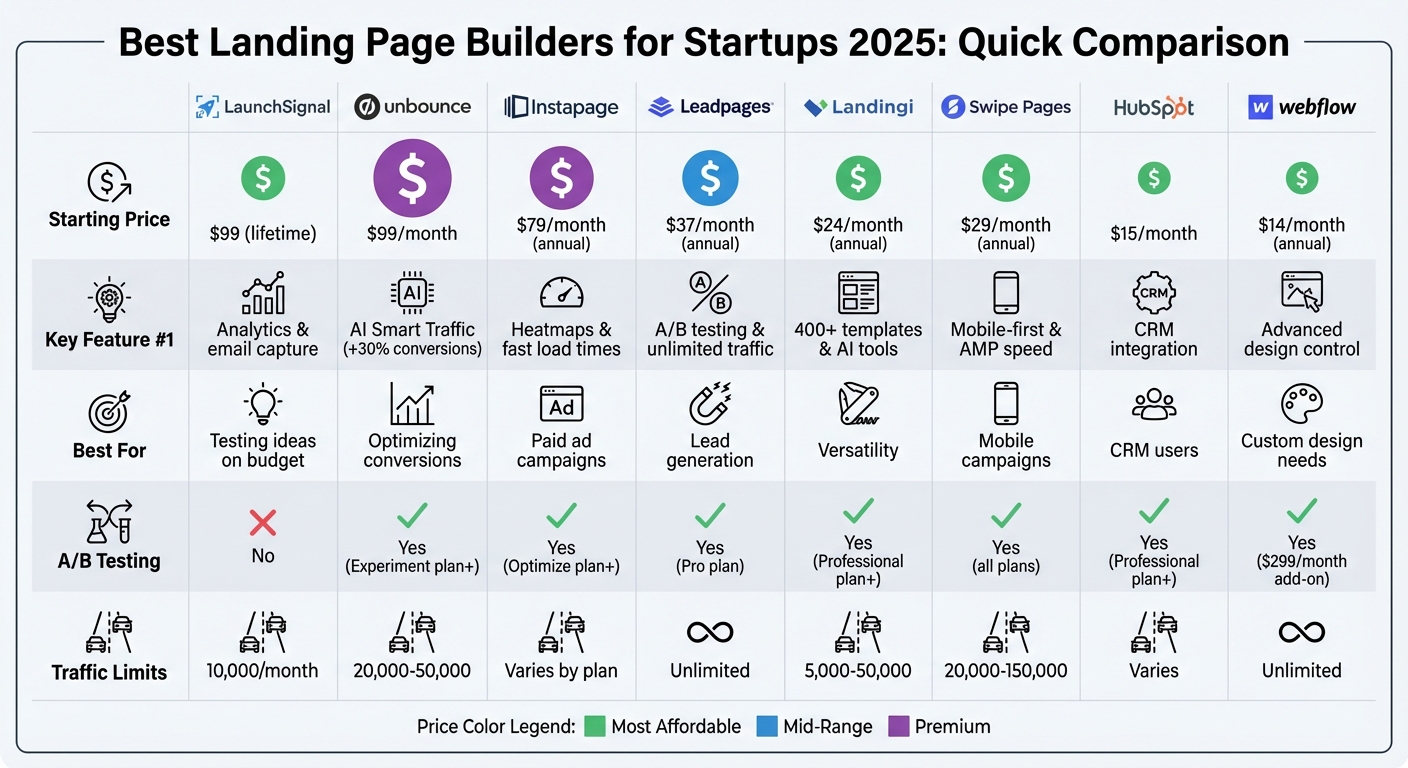
Landing Page Builder Comparison: Features, Pricing & Best Use Cases 2025
1. LaunchSignal
LaunchSignal is all about speed. It’s designed for founders who want to validate their product ideas quickly, focusing on gathering real user data rather than offering extensive design options. If you’re juggling multiple concepts and need answers fast, this platform could be a game-changer.
Validation Features
LaunchSignal uses tools like questionnaires and simulated checkout flows to measure pricing interest and buyer intent - without requiring a full payment system. Its analytics dashboard compiles this data from your test pages, helping you pinpoint which ideas spark the most genuine interest.
Experimentation Tools
You can run up to three active validation pages at the same time. With ready-made templates, you’ll have tests up and running in just minutes. Plus, all the data is exportable for deeper analysis, and there’s no need for coding.
Integrations
LaunchSignal’s email capture works seamlessly with popular marketing tools, while its analytics dashboard delivers the metrics you need for quick, informed decisions.
Pricing
For a one-time payment of $99, LaunchSignal offers a lifetime plan. This includes 10,000 monthly page views, access to all validation features, an analytics dashboard, and email support - completely eliminating ongoing fees. Up next, we’ll take a look at another platform to see how it stacks up in terms of features and pricing.
2. Unbounce
Unbounce provides AI-driven tools designed to help startups improve their landing pages. Drawing insights from over 1.5 billion past conversions, the platform empowers users to make smarter, data-backed decisions about their page designs and functionality.
Validation Features
One of Unbounce's standout features is Smart Traffic, which directs visitors to the page variant most likely to convert based on factors like their device, location, and browser. It starts optimizing after just 50 visits and can increase conversions by up to 30%. Another useful tool is Dynamic Text Replacement, which customizes headlines to align with visitor search terms - making it a great option for testing product-market fit through paid ad campaigns.
Experimentation Tools
Unbounce simplifies testing with one-click A/B testing and a real-time reporting dashboard, helping startups identify which value propositions, headlines, or CTAs perform best. Jeff Taylor from Taylor Made Marketing shared:
We've hit 35-37% [conversion rates] and had never done that before until we switched over to [Unbounce].
Additionally, the platform includes Smart Copy, an AI-powered tool that generates landing page copy designed to maximize conversions, using industry benchmarks as a guide.
Integrations
Unbounce integrates seamlessly with popular tools like Salesforce, HubSpot, and Mailchimp, and connects to over 1,000 other apps via Zapier. The Script Manager feature allows users to deploy tracking codes - such as Google Analytics or Facebook Pixel - across multiple pages. For more tailored needs, webhooks enable custom integrations.
Pricing
Unbounce offers three pricing tiers:
- Build Plan: $74/month (billed annually) or $99/month, includes unlimited pages, 1 domain, and up to 20,000 visitors.
- Experiment Plan: $112/month annually ($149 monthly), adds A/B testing and Dynamic Text Replacement with a limit of 30,000 visitors.
- Optimize Plan: $187/month annually ($249 monthly), includes Smart Traffic, supports 3 domains, and accommodates up to 50,000 visitors.
All plans come with unlimited conversions and SSL encryption.
Next, we’ll explore another platform and see how it measures up against Unbounce.
3. Instapage
Instapage is a high-end platform built for businesses that prioritize conversions and need fast, actionable results. Thanks to its Thor Render Engine®, pages load incredibly quickly, reducing bounce rates - an essential factor when running paid campaigns to test product ideas.
Here’s a closer look at how Instapage helps validate ideas and optimize performance.
Validation Features
Instapage includes tools like heatmaps and on-page analytics to identify where users are engaging the most and where they’re dropping off. These insights can confirm whether your value proposition is hitting the mark. Its AdMap® feature visualizes your ad campaigns, ensuring that your messaging aligns seamlessly with your landing pages.
Experimentation Tools
With Instapage, you can run A/B and multi-variant tests to compare elements like headlines, images, and calls to action. The platform’s AI-assisted experiments and AdMap® feature automatically shift traffic toward better-performing variations, helping you learn and adapt faster. Alex Kracov, Head of Marketing, shared:
If we have to wait on a developer, our creative velocity plummets. But Instapage has made it possible for us to grow our advertising programs and convert more customers.
Integrations
Instapage connects with over 120 apps, including Salesforce, HubSpot, Mailchimp, Google Analytics, Google Tag Manager, and Facebook Pixel. Its two-way syncing with Google and Facebook ad platforms ensures your campaigns stay consistent across platforms.
Pricing
Instapage offers three pricing options:
- Create Plan: $99/month (or $79/month if billed annually). Includes a drag-and-drop builder, 500+ templates, AI content generation, and full integrations.
- Optimize Plan: $199/month (or $159/month if billed annually). Adds A/B testing, heatmaps, and AdMap.
- Convert Plan: Custom pricing for enterprise needs.
All plans come with a 14-day free trial. Instapage is ideal for startups with a solid advertising budget.
4. Leadpages
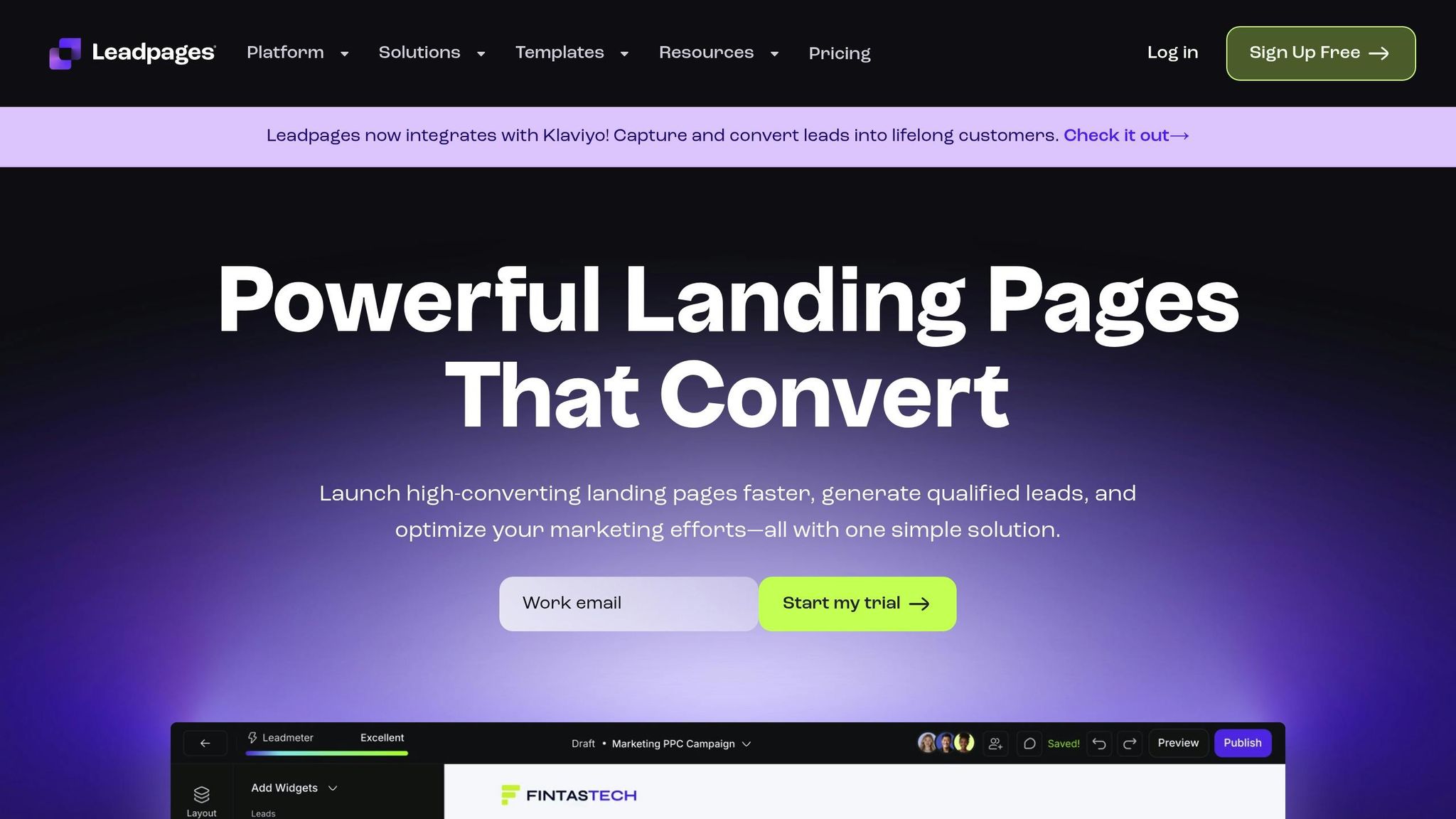
Leadpages is a go-to platform for startups looking for speed and affordability. With 466,000 businesses relying on it to generate over 9.1 million leads every month, it’s built to deliver results. One standout feature? Its landing pages load 2.4 seconds faster than the average, which can significantly reduce bounce rates - especially crucial during early validation stages.
Leadpages also includes Leadmeter, a tool that provides real-time, data-backed tips to boost conversions. Plus, with over 250 mobile-responsive templates (ranked by past performance), you can start with designs that are already proven to work.
Validation Features
Leadpages simplifies lead management and validation in several ways:
- It automatically delivers lead magnets - like guides or whitepapers - to new subscribers.
- Subscriber data is stored in the integrated Leads Library, which you can export as a CSV for deeper analysis.
- Stripe integration lets you add checkout functionality directly on your landing page, making it easy to test if prospects are willing to pay for your product or service.
- Unlimited alert bars and pop-ups with exit-intent triggers help capture leads at multiple points of engagement.
Experimentation Tools
If you’re on the Pro Plan, you get access to unlimited A/B testing for headlines, images, and CTAs. Leadmeter’s suggestions make it easy to refine and optimize your pages quickly based on data-driven insights.
Integrations
Leadpages works seamlessly with over 90 tools, including Klaviyo, Mailchimp, ActiveCampaign, HubSpot, and Salesforce. Through Zapier, it connects with more than 2,000 apps. For WordPress users, the Leadpages plugin allows you to publish landing pages and pop-ups with just a few clicks.
Pricing
| Feature | Standard Plan | Pro Plan |
|---|---|---|
| Monthly Price (Annual) | $37 | $74 |
| Landing Pages | Unlimited | Unlimited |
| Traffic & Leads | Unlimited | Unlimited |
| A/B Split Testing | No | Unlimited |
| Online Payments | No | Yes (via Stripe) |
| Leadmeter | Yes | Yes |
Both plans include a 14-day free trial, and if you opt for an annual subscription, you’ll receive a free custom domain for the first year.
Founder Nicki Krawczyk sums it up perfectly:
"Leadpages just makes marketing easier, so we spend less time building campaigns and more time building our business."
Next, we’ll take a look at another platform to see how its features and pricing stack up.
5. Landingi
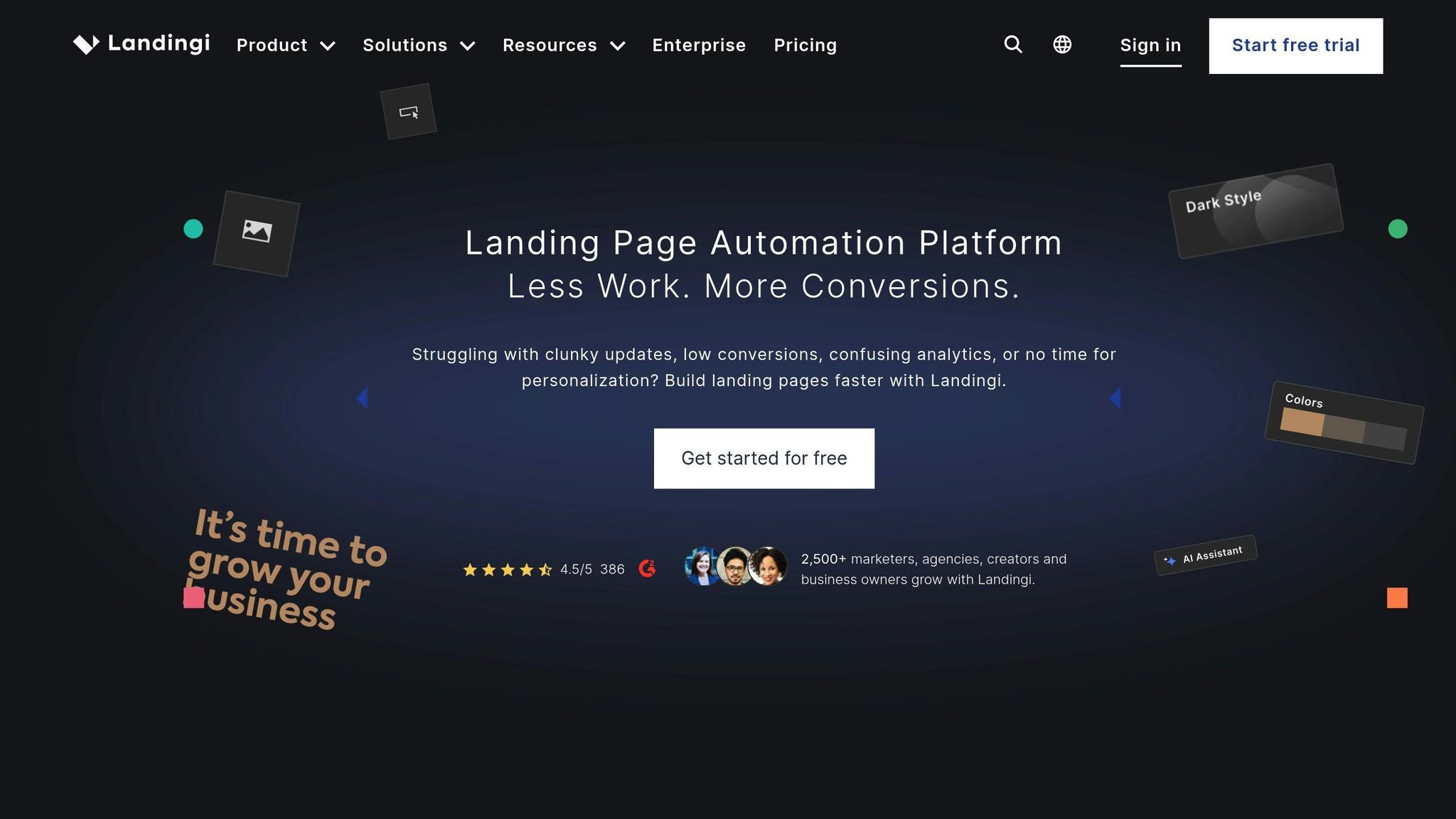
Landingi is trusted by over 300,000 users, offering a user-friendly drag-and-drop editor and access to more than 400 customizable templates. With strong ratings across platforms - 4.5/5 on G2, 4.8/5 on GetApp, and 4.8/5 on Trustpilot - users often highlight how it empowers teams to work independently.
For startups, Landingi provides tools like EventTracker, which monitors user behavior and micro-conversions directly on your landing pages. The Funnel Builder maps the entire customer journey, from initial contact to final action, helping you segment leads based on traffic sources and browsing habits.
Validation Features
Landingi offers Dynamic Text Replacement, which automatically updates page text to match the specific ad or search term that brought a visitor to your site. This feature allows you to test different value propositions with personalized messaging. Another useful tool, Smart Sections, lets you update sections across multiple pages with a single click, ensuring consistency during rapid testing.
The platform also incorporates AI-powered tools to streamline content creation. Features like AI+Widget Text for generating tailored copy, AI+SEO for optimizing meta descriptions, and AI+Widget Image for design tweaks make it easier to build effective pages without needing a dedicated design or writing team.
Experimentation Tools
The Professional plan includes A/B testing, enabling you to test multiple page variations and identify which designs drive the best results. When paired with EventTracker, you can go beyond simple click tracking to uncover which variations lead to meaningful user actions.
Integrations
Landingi connects seamlessly with over 170 marketing tools, including popular platforms like HubSpot, Salesforce, WordPress, and Shopify. It also integrates with 8,000+ other apps through Zapier. Additional features include Stripe for payment processing, Unsplash for easy image access, and Google Analytics for performance tracking.
Pricing
| Plan | Monthly Price | Pages | Monthly Visits | Key Features |
|---|---|---|---|---|
| Free | $0 | 5 | 100 | 1 custom domain, basic templates |
| Lite | $24–$29 | 10 | 5,000 | AI tools, 400+ templates, 14-day trial |
| Professional | $57–$69 | Unlimited | 50,000 | A/B testing, Smart Sections, 14-day trial |
| Agency | $129 | Unlimited | 50,000 | 5 custom domains, white-label options, 14-day trial |
| Unlimited | $820–$990 | Unlimited | Unlimited | Enterprise support, custom integrations, 14-day trial |
Opting for annual billing reduces the Lite plan to about $29 per month. The Free plan is great for testing simple ideas, while the Professional plan - with unlimited pages - is a solid choice for startups juggling multiple campaigns.
These pricing options cater to both beginners and advanced users. Up next, we’ll look at a platform built for speed and mobile-first design.
sbb-itb-9a9c51d
6. Swipe Pages
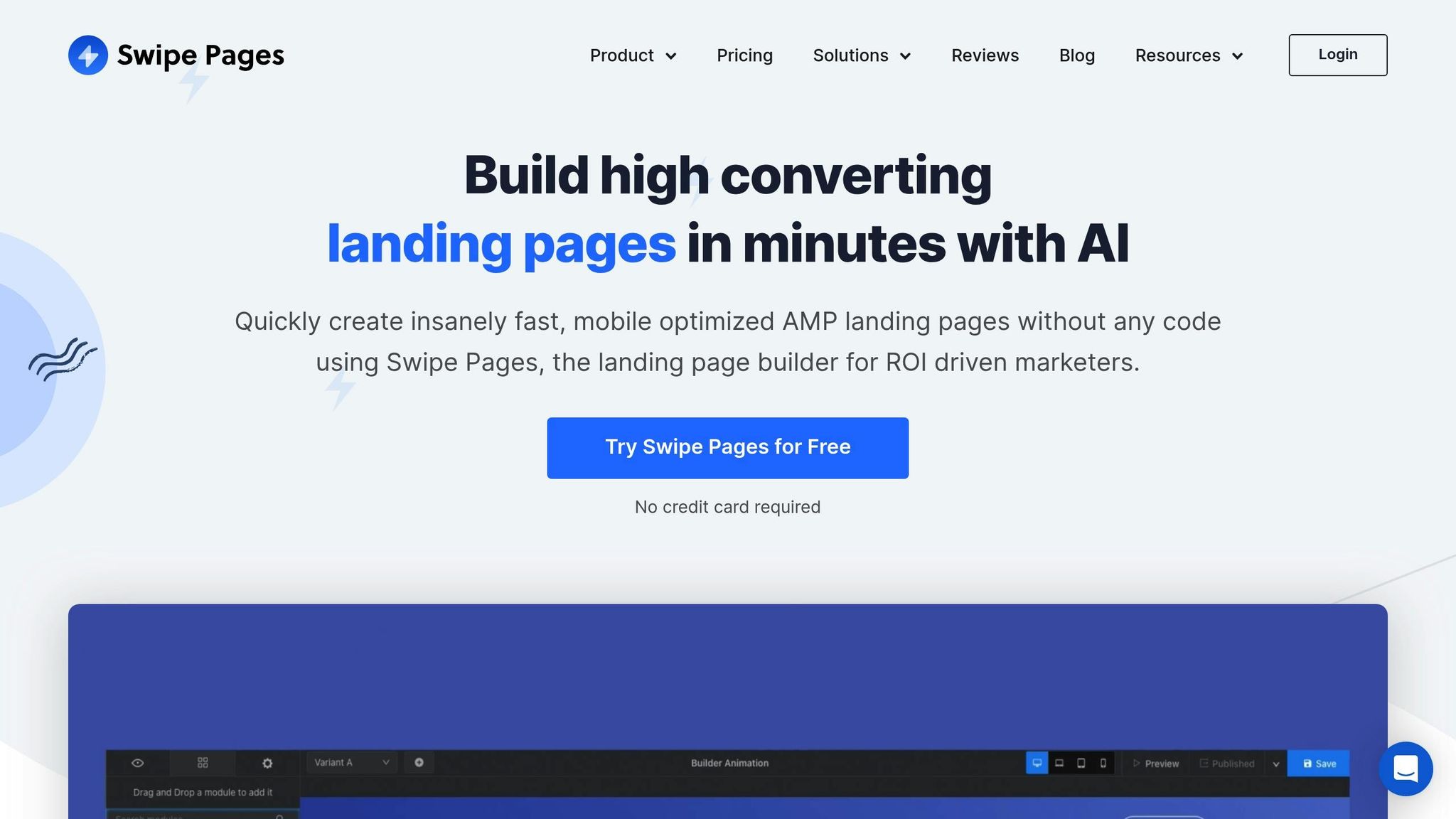
Swipe Pages stands out for its focus on speed and mobile-first design. By leveraging Google AMP technology, it ensures pages load in under two seconds - crucial for dominating mobile traffic. With impressive ratings of 4.8/5 on G2 and 4.9/5 on Capterra, users frequently highlight its fast performance.
The platform's Swipe Genie AI tool simplifies the process of creating conversion-optimized wireframes and copy, allowing users to launch campaigns up to 10 times faster [29,30]. Its Mobile Slide feature is tailored for social media campaigns on platforms like Instagram and TikTok, producing swipeable, app-like landing pages that drive engagement [29,31]. Growth marketer Declan Flaherty from Driva used Swipe Pages' A/B testing tools to boost conversion rates by 36% while significantly cutting launch times. The platform is built to streamline testing and maximize engagement with mobile audiences.
Validation Features
Swipe Pages offers tools to make product validation faster and more effective. For example, Dynamic Text Replacement customizes headlines using visitor-specific search terms or ad data, creating a more personalized experience. Multi-step forms help reduce friction when gathering data from early adopters, while Evergreen Countdown Timers are perfect for testing urgency-driven offers [29,32]. Additionally, the Global Blocks feature allows you to update sections across multiple pages simultaneously, ensuring consistency during rapid iterations.
Experimentation Tools
Swipe Pages makes continuous optimization accessible, even for smaller budgets. A/B testing is included in the Startup plan, priced at $29/month - a feature competitors often reserve for higher-tier plans [29,33]. The platform tracks key metrics like form submissions and link clicks and integrates seamlessly with tools like Google Analytics and Facebook Pixel for deeper insights. A centralized dashboard provides real-time email notifications and instant CSV exports, making lead follow-up quick and efficient.
Integrations
Swipe Pages supports smooth workflows with direct integrations to popular tools like HubSpot, Zoho, Mailchimp, ActiveCampaign, and ConvertKit [29,31]. For apps without native integration, it connects to over 1,000 tools via Zapier. Payment processing is built-in, offering one-click checkouts through Stripe, PayPal, and RazorPay, enabling complete sales funnels [29,30].
Pricing
| Plan | Monthly Price | Custom Domains | Monthly Visits | Key Features |
|---|---|---|---|---|
| Startup | $29–$39 | 1 | 20,000 | AMP support, A/B testing, AI assistant, 14-day free trial |
| Marketer | $59–$89 | 5 | 50,000 | Direct integrations, Dynamic Text Replacement, 14-day free trial |
| Agency | $119–$199 | Unlimited | 150,000 | Priority support, 1:1 onboarding, 14-day free trial |
Opting for annual billing lowers the Startup plan to $29 per month [33,2]. All plans include unlimited landing pages and conversions, with overage charges set at $5 for every additional 5,000 visits. The platform also offers a 14-day trial with no credit card required [33,30]. Next, we’ll explore a platform that combines landing pages with full CRM functionality.
7. HubSpot Landing Pages
HubSpot Landing Pages works seamlessly with its CRM, automatically capturing visitor data for immediate follow-up. With a 4.4/5 rating on G2 and a 4.5/5 rating on Capterra, based on over 3,300 reviews, users appreciate its comprehensive design and functionality.
The platform features AI-powered tools like the Campaign Assistant to help you quickly generate copy, along with real-time SEO recommendations to fine-tune headlines, meta tags, and images before publishing. Its dynamic content feature allows for personalized experiences based on factors like location, device, or lifecycle stage, making it perfect for testing different messages with specific audience segments.
Validation Features
HubSpot's CRM tracks lead interactions automatically, providing insights into which segments are most engaged with your product ideas. Built-in SEO tools ensure pages are optimized before they go live. You can also preview designs on both desktop and mobile to maintain consistency, and higher-tier plans include an AI translation feature to test product-market fit across multiple languages.
Experimentation Tools
For testing purposes, the Professional and Enterprise plans include A/B testing, enabling you to compare different page versions and pinpoint the elements that drive better conversions. A centralized dashboard tracks metrics like page views, clicks, and conversion rates in real time. Once you identify the best-performing design, you can connect form submissions to automated email workflows in the Marketing Hub. With over 150,000 pages published using the platform, HubSpot Landing Pages has proven its scalability for testing and optimization. These tools integrate directly with HubSpot's CRM, making lead management smooth and efficient.
Integrations
HubSpot integrates with over 1,500 apps through its marketplace, simplifying sales, service, and marketing workflows. Key integrations help reduce repetitive tasks, such as onboarding and reporting.
Pricing
HubSpot offers plans tailored to different needs and budgets, with pricing reflecting the platform's extensive features and integration capabilities.
| Plan | Monthly Price | Key Features |
|---|---|---|
| Free | $0 | 13 templates, basic analytics, HubSpot branding |
| Starter | $15/seat | Removes branding, basic automation, custom domain |
| Professional | $800 | A/B testing, SEO tools, dynamic content, $3,000 onboarding fee |
| Enterprise | $3,600 | Advanced reporting, multi-touch attribution, $7,000 onboarding fee |
The Free and Starter plans are ideal for startups needing basic functionality. For advanced features like A/B testing and dynamic content, higher-tier plans are necessary. Additionally, startups can explore the "HubSpot for Startups" program, which may offer discounts on subscriptions and onboarding fees.
Next, we’ll explore a platform that offers designers complete creative freedom.
8. Webflow
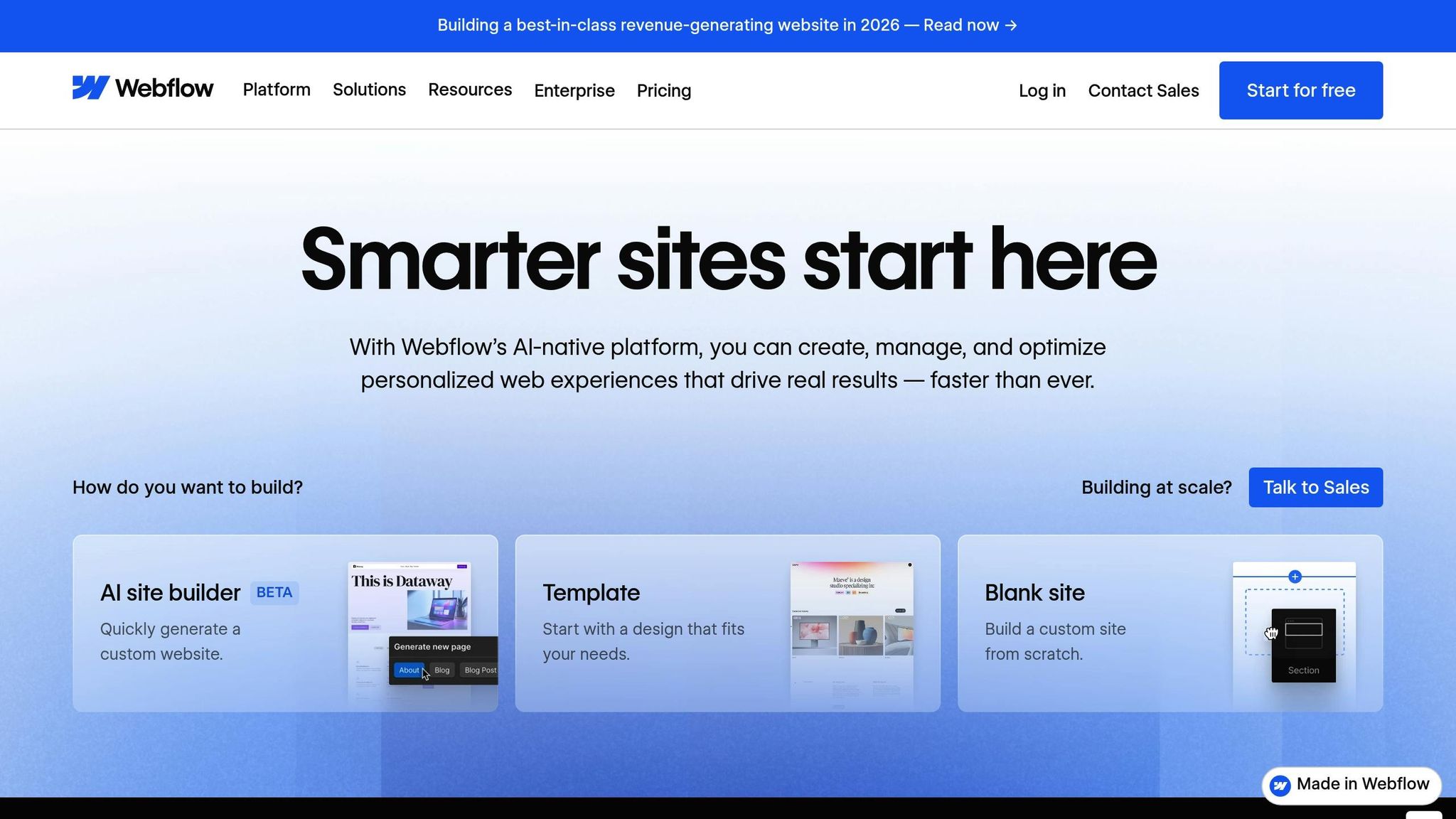
Webflow is a platform designed for startups and teams that demand pixel-perfect landing pages with precise design control. Boasting a 4.5/5 rating on G2 and 4.7/5 on GetApp, it combines clean code with an intuitive visual interface. Teams using Webflow have reported impressive results, including a 67% reduction in developer ticketing and a 56% boost in form fills through optimization efforts.
One of Webflow's standout features is Webflow Optimize, an AI-driven tool that takes the guesswork out of A/B testing. Instead of manually updating content after tests, this system uses machine learning to deliver the best-performing page variations to specific visitors in real time. Startups can experiment with everything from minor copy adjustments to major navigation overhauls, all while tracking results directly within the platform. This seamless combination of design precision and automation aligns perfectly with the goals of rapid validation and data-driven customization.
Validation Features
Webflow comes equipped with built-in SEO tools for managing meta tags and custom URLs. It also supports integrations like FluidSEO, which performs page audits to flag missing alt text or schema markup. For tracking traffic and engagement, the Humblytics integration eliminates the need for coding, while tools like Hotjar and Crazy Egg provide heatmaps and session replays to analyze user behavior. These features have helped teams achieve a 20% increase in site-wide conversion rates.
Experimentation Tools
The Optimize add-on ($299/month) enables startups to run visual A/B tests with targeted audiences based on device type, location, or behavior. Some enterprise teams have even saved up to $6 million annually by streamlining their testing and design workflows with Webflow. The platform also includes CMS Collections, which allow users to create dynamic landing pages at scale - ideal for campaigns tailored to specific locations or products - without the need for manual page building. These tools make it easier for startups to validate ideas and fine-tune their marketing strategies.
"With page building, our web design team gets to control the building blocks, and our marketers get a drag-and-drop interface to help them run campaigns faster with more autonomy, which will ultimately give our web team a lot of time back."
- Marius Jurtz, Web Design Lead, MURAL
Integrations
Webflow's marketplace offers integrations with popular tools like Figma (for seamless design transfers), HubSpot, Salesforce, Marketo, and Google Analytics 4. The DevLink feature allows Webflow components to sync directly into React environments, bridging the gap between marketing design and product development. Additionally, its headless CMS APIs enable the automated creation of thousands of pages, effortlessly syncing with external data sources.
Pricing
Webflow's pricing model is divided into Site plans for hosting and Workspace plans for team collaboration. Opting for annual billing can save users between 20% and 33%.
| Plan | Monthly Price (Annual) | Key Features |
|---|---|---|
| Starter | $0 | Build and test indefinitely, no custom domain |
| Basic | $14 | Custom domain, 150 pages, 10GB bandwidth |
| CMS | $23 | 2,000 CMS items, 3 editors, 50GB bandwidth |
| Business | $39 | 10,000+ CMS items, 10 editors, 2.5TB bandwidth |
The CMS plan ($23/month) is a favorite among startups focused on content-driven sites, while the Basic plan ($14/month) is ideal for simpler landing pages. For advanced capabilities, such as A/B testing, the Optimize add-on is available at $299/month, and the Analyze add-on ($9/month) offers real-time visitor insights. For those just starting out, the free Starter plan is perfect for prototyping and learning before committing to a paid plan.
Up next, we’ll dive into a detailed comparison of Webflow's strengths and potential drawbacks.
Comparison: Pros and Cons
Choosing the right landing page builder means weighing factors like ease of use, customization options, scalability, budget, and your team's technical skills. For instance, platforms like Unbounce and Instapage excel in experimentation tools. Unbounce’s Smart Traffic feature can increase conversions by up to 30% by directing visitors to the most relevant page variant automatically. However, both platforms start at $99 per month and come with visitor caps - 20,000 for Unbounce and 15,000 for Instapage - which might be a stretch for early-stage startups.
If you're working with a tighter budget, there are more affordable options. Landingi starts at $24 per month, while Webflow offers plans starting at $14 per month. Leadpages, priced at $49 per month, provides unlimited traffic and leads across all paid plans, making it a good fit for businesses looking to scale quickly. Swipe Pages, at $39 per month, focuses on mobile-first design with AMP technology and boasts a strong 4.8/5 rating on G2. That said, it lacks some of the advanced conversion tools available on higher-end platforms. For teams already using HubSpot’s CRM, its landing page builder integrates seamlessly, but the Professional tier can cost anywhere from $450 to over $800 per month. These pricing and feature differences highlight how each tool caters to different priorities.
When it comes to customization and scalability, platforms vary widely. Webflow stands out with its pixel-perfect design control and no traffic limitations, though its learning curve might require some design or development know-how. Landingi features "Smart Sections", which let you update multiple pages at once - great for managing multiple campaigns - though some users report slower load times. Leadpages trades off some design flexibility for simplicity, while Instapage shines with its Thor Render Engine, delivering fast load times that are crucial for paid ad campaigns.
Here’s a quick breakdown of how these platforms compare across key features:
| Builder | Validation/Experimentation | Key Integrations | Starting Price | Best For |
|---|---|---|---|---|
| LaunchSignal | Email capture, questionnaires, simulated checkouts, analytics | Exportable data | $99 (lifetime) | Testing initial ideas with 3 active pages |
| Unbounce | Smart Traffic (AI), A/B testing | HubSpot, Marketo, Zapier | $99/month | AI-driven optimization |
| Instapage | Heatmaps, A/B testing, AdMap | Salesforce, Marketo, Google Ads | $99/month | Paid ad teams & fast load times |
| Leadpages | Leadmeter (real-time tips), A/B testing | Stripe, Calendly, CRM | $49/month | Small businesses & lead generation |
| Landingi | A/B testing, AI SEO/Copy | WordPress, Shopify, CRM | $24/month | Versatility & templates |
| Swipe Pages | A/B testing, analytics | Zapier, HubSpot, Mailchimp | $39/month | Mobile-first design & AMP speed |
| HubSpot | A/B testing (Pro+), SEO tips | Native HubSpot CRM/Email | $15/month | CRM users & integrated ecosystem |
| Webflow | SEO tools, logic/workflows | Zapier, Shopify, CMS | $14/month | Custom design & CMS needs |
This comparison highlights the trade-offs between advanced features and budget-friendly options. For example, if you’re running paid ads, Instapage stands out with its speed optimization and AdMap features, which may justify its higher cost. On the other hand, if you're validating ideas on a tight budget, LaunchSignal offers essential tools like email capture and analytics for a one-time $99 fee, covering up to three active pages. Ultimately, the right choice depends on your need for speed, customization, and affordability, all of which are critical for startups aiming to validate their products quickly.
Conclusion
Based on the comparisons above, the best landing page builder for your startup hinges on your unique needs. The key is to match your priorities - whether that's budget, ease of use, or advanced features - with the platform that fits your goals. For startups on a tight budget looking to test ideas quickly, Landingi stands out with its affordable pricing and a variety of templates enhanced by AI-powered features.
If your focus is on mobile campaigns, Swipe Pages leverages AMP technology to ensure pages load in under two seconds - an essential advantage when over 60% of web traffic now comes from mobile devices. For paid campaigns, Instapage offers fast load times paired with detailed analytics to help you maximize ad performance.
For startups prioritizing A/B testing, Unbounce provides advanced optimization tools like Smart Traffic, which can increase conversions by as much as 30%. Keep in mind, though, that many budget-friendly tools restrict such features to higher-tier plans. Research also highlights the importance of scale: businesses with 30 or more landing pages generate seven times more leads than those with fewer than ten.
Ultimately, choose a platform that aligns with your stage of growth. Early-stage founders might prioritize simplicity and affordability, while growth-focused teams could benefit from investing in tools with advanced optimization capabilities. Factor in your current traffic, technical expertise, and whether you need cutting-edge features like AI or just a straightforward way to capture leads. The right choice will help you validate ideas efficiently and support your startup's growth trajectory.
FAQs
What should startups look for in a landing page builder?
When selecting a landing page builder for your startup, focus on tools that are simple to use. Opt for platforms with features like drag-and-drop editors, ready-made templates, and no-code options. These can help you design professional-looking pages quickly, even without technical expertise.
Make sure the builder provides customization options so you can adjust layouts, branding, and content to align with your evolving product. It’s also important to choose a platform with clear pricing - look for affordable plans, free trials, and scalable packages that can grow with your budget as your audience expands.
Additionally, pick a builder that works smoothly with your existing marketing tools, such as email software and CRMs. Features like A/B testing and analytics are essential for fine-tuning your pages and improving performance. To handle campaign-driven traffic spikes, ensure the platform is mobile-friendly, fast-loading, and reliable.
How does AI improve landing page builders for startups in 2025?
By 2025, AI has completely changed how startups create landing pages, making the process faster and more streamlined than ever. With just a few simple inputs - like your industry, target audience, or campaign goals - AI can generate a fully responsive landing page in minutes. This includes crafting persuasive copy, designing layouts, and selecting on-brand images. For startups, this means they can launch pages quickly while saving both time and resources.
But it doesn’t stop there. AI also takes on the heavy lifting after the page goes live. It tracks visitor behavior, tweaks call-to-action text, and automatically generates A/B test variants to find what works best. Some tools go a step further by dynamically personalizing content, such as updating product names or prices in $USD to match individual user preferences. These capabilities allow startups to improve conversion rates, cut costs, and iterate faster - giving them a competitive edge in their growth journey.
Why is A/B testing crucial for startups using landing page builders?
For startups, A/B testing is a game-changer. It lets you experiment with small tweaks on your landing pages - like adjusting a headline, changing a button color, or reworking the layout - and measure their impact. Instead of guessing what might work, you get clear data on what actually resonates with your audience. For instance, you can compare two versions of a page side by side to see which one drives more conversions.
This method is especially valuable for startups with tight marketing budgets. By testing and refining, you can boost conversion rates and validate ideas quickly. Even modest gains, like a 2-3% bump in conversions, can translate into a noticeable increase in leads or customers. In the early stages of building a business, this data-driven approach helps you grow efficiently and set the stage for long-term success.
Start validating ideas in minutes not days
Create high-converting landing pages. Test with real users. Get purchase signals. Know what to build next.
Visit LaunchSignal